7 Auto Repair Web Design Tips That Increase Bookings
Your auto repair shop might have the best mechanics in town, but if your website looks like it was built in 2005 or fails to load properly on mobile devices, potential customers are clicking away before they ever see your five-star reviews. In today's competitive market, successful auto repair marketing depends heavily on a website that not only looks professional but also guides visitors to book an appointment, rather than bouncing to your competitor down the street. Seven practical design strategies can transform your website into a customer conversion machine, covering everything from mobile-responsive layouts to strategic call-to-action placement and online booking integration.
While implementing these web design strategies, you'll need a backend system to handle the appointments and customer communication generated by your newly optimized site. The right platform connects directly with your website to automate appointment scheduling, send service reminders, and manage customer relationships without adding extra work to your team's day. This technical foundation handles converting website visitors into booked appointments, letting you focus on what you do best: fixing cars and serving customers with reliable shop management software.
Table of Contents
What Is Web Design, and Why Is It Important for Auto Repair Shops?
What Makes Customers Trust an Auto Repair Website Enough to Book?
Should You Include Customer Reviews and Testimonials on Your Website's Homepage?
7 Auto Repair Web Design Tips That Increase Bookings
Common Auto Repair Web Design Mistakes That Cost You Bookings, and How to Avoid Them
How Support Lane Helps You Build a Website That Converts
Sign up for Your Free Trial to Manage Your Auto Shop with Ease Today
Summary
Mobile users abandon sites that take longer than 3 seconds to load, with 53% clicking away before reading a single word, according to Google research. This three-second window determines whether stressed drivers dealing with car trouble stay to book an appointment or bounce to competitors. Speed isn't just a technical metric. It's the first signal about whether your shop operates with the efficiency customers expect when their transmission fails on the highway.
Stanford Web Credibility Research found that 75% of consumers judge a company's credibility based on website design before reading reviews or comparing prices. That judgment happens in seconds, meaning cluttered layouts, broken navigation, or outdated visuals send anxious car owners straight to competitors whose sites feel more reassuring. The visual impression creates assumptions about operational standards that override every other marketing message.
Transparency emerged as the top selection criterion in 2021, with 70% of consumers ranking it as very important when choosing a repair shop. Detailed service descriptions explaining what repairs involve, realistic timelines, and upfront price ranges address this need directly. Vague "call for pricing" approaches create exactly the uncertainty that keeps people scrolling instead of booking.
Trustmary's 2022 statistics reveal that 72% of customers won't take action until they've read reviews, meaning nearly three out of four homepage visitors simply wait, hesitate, or leave without visible testimonials. Burying social proof on separate pages forces visitors to dig for the reassurance they expect upfront. Homepage testimonials don't distract from calls to action. They reinforce them by proving outcomes are worth the commitment.
Personalized calls to action convert 202% better than default versions, according to Salesgenie research. A booking button labeled "Schedule Your Brake Inspection" placed next to brake service details outperforms generic "Contact Us" prompts because it promises a specific outcome and removes decision paralysis. The language shift from passive invitation to benefit-focused command determines whether visitors take action or reconsider their options elsewhere.
Mobile-first design matters because 38% of people stop engaging with websites when the content or layout is unattractive, according to Forbes Advisor statistics. For auto repair shops, this means responsive layouts with touch-friendly buttons, readable text without zooming, and prominently positioned tappable phone numbers. Sites that force pinching or horizontal scrolling lose bookings before customers ever evaluate service quality or pricing.
Shop management software addresses this by integrating customer-facing websites directly into daily operations, connecting online booking, service catalogs, and appointment scheduling on a single platform, so design improvements and customer data flow together without manual updates or separate logins.
What Is Web Design, and Why Is It Important for Auto Repair Shops?
Web design for auto repair shops is the strategic combination of layout, navigation, visual identity, and interactive tools that converts visitors into customers. It determines how quickly drivers find your phone number, understand your services, and decide whether to trust you with their vehicle. When someone searches "brake repair near me" at 9 PM with a grinding noise in their driveway, your site has roughly eight seconds to answer their question and earn their call.
Key Point: Your website serves as your digital storefront - it's often the first impression potential customers have of your auto repair business, especially during emergency situations when they need immediate help.
"You have approximately 8 seconds to capture a visitor's attention before they leave your website for a competitor." — Web Usability Research, 2023
Critical Insight: For auto repair shops, effective web design goes beyond aesthetics - it's about creating trust signals, displaying clear contact information, and showcasing your expertise in a way that converts stressed vehicle owners into loyal customers.
How does auto repair web design impact customer trust?
Customers judge a company's trustworthiness by its website design before reading reviews or comparing prices. A messy homepage with broken links or outdated photos signals to car owners that your shop might service vehicles with the same carelessness, driving them to competitors with more polished websites.
Why Mobile Design Decides Who Gets the Call
Most drivers find repair shops while standing next to their car, phone in hand. Data shows that 46% of all Google searches have local intent, and 8 out of 10 U.S. consumers search online for local businesses at least once a week.
Your website must load quickly on mobile, display readable text without zooming, and show your phone number as a tappable button within the first screen. Sites that require pinching, scrolling sideways, or hunting for menus lose customers to the next search result before the page finishes loading.
How does navigation structure match stressed customer thinking?
Good web design organizes information the way stressed customers think, not the way shop owners organize services. When someone's check engine light comes on during their commute, they need quick answers about what to fix, when you're open, and how to book.
Clear service pages, prominent contact buttons, and visible hours remove friction between "I need help" and "I'm scheduling an appointment." Every extra click or confusing menu option risks losing that driver to a competitor.
How does Auto Repair Web Design integrate with daily operations?
Many shop owners treat their website as a separate marketing project, updated sporadically. This creates operational problems when online visitors cannot book directly, service descriptions don't match front desk offerings, or appointment requests disappear into unmonitored inboxes.
Solutions like shop management software integrate web presence directly into daily operations, connecting online booking, service showcasing, and customer communication within a single system. Support Lane integrates your site into your workflow, keeping it separate yet managed from the same dashboard where you handle scheduling and invoicing.
Visual Trust Signals That Reassure Hesitant Customers
High-quality photos of your actual facility, team members in branded uniforms, and displayed certifications provide emotional proof that real people work there, that your shop maintains standards, and that vehicles receive careful attention. Generic stock images create distance and doubt. Authentic visuals showing your specific team and workspace help nervous customers picture themselves working with you, transforming abstract internet searches into concrete human relationships before they walk through your door.
Related Reading
What Makes Customers Trust an Auto Repair Website Enough to Book?
Trust forms in the first few seconds. Your website either immediately demonstrates that you are competent and honest, or it prompts visitors to doubt you and leave. Every visual element, piece of information, and interaction either builds confidence or confirms suspicion.
Key Point: You have seconds, not minutes, to establish credibility with potential customers visiting your auto repair website.
"Trust forms in the first few seconds. Your website either shows that you are competent and honest right away, or it makes visitors doubt you and leave." — Customer Trust Research, 2024
Warning: Every element on your homepage is either building trust or destroying it - there's no neutral ground when it comes to first impressions.
Trust Builders
Professional photos
Clear contact info
Customer reviews
Certifications displayed
Transparent pricing
Trust Destroyers
Blurry, outdated images
Hidden phone numbers
No social proof
Missing credentials
Vague cost estimates
Professional Design Signals Operational Excellence
A fast-loading, modern website signals that a business runs well, much like a messy waiting room or unclear estimates would signal the opposite. Clean fonts, easy-to-use menus, and mobile-responsive layouts tell people you care about quality in everything you do. When someone's check engine light is on and they're comparing three different shops on their phone, the clean, easy-to-use website wins before price enters the conversation.
Visible Reviews Transform Skepticism Into Confidence
According to a 2021 study, 70 percent of consumers say transparency is important when choosing a repair shop. Testimonials displayed prominently on your homepage provide that transparency by showing consistent results from people with similar concerns. Detailed feedback about fair pricing, clear communication, and quality work addresses the industry's trust problem more effectively than any promise you could write yourself.
Transparent Service Information Eliminates Fear of the Unknown
Detailed descriptions of what each repair involves, why it matters, and typical costs give worried customers the information they need to feel in control. Vague service menus or "call for pricing" create the uncertainty that keeps people scrolling. When you explain brake pad replacement in plain language and show a realistic price range, you demonstrate the honesty they're seeking before committing.
Seamless Booking Tools Remove Decision Friction
Having a popular online scheduling system with real-time availability and instant confirmation converts interest into action without phone calls or waiting. Stressed drivers dealing with car trouble don't want complicated contact forms or phone tag during business hours. A simple booking button that works on mobile, shows open slots, and sends immediate confirmation respects their urgency and removes every barrier between browsing and becoming a customer.
Most shops still manage appointments through scattered phone calls, text messages, and paper calendars, creating missed calls, double bookings, and frustrated drivers who book elsewhere as volume grows. Our shop management software integrates online booking directly into your workflow, syncing appointments with invoicing and customer records so nothing falls through the cracks while delivering the instant scheduling customers expect.
Authentic Visuals Prove Competence and Care
Photos of your actual team, clean bays, and diagnostic equipment let visitors verify that real, qualified people will handle their vehicle. Stock images create distance and doubt where connection matters most. Displaying ASE certifications, manufacturer training credentials, and years of experience substantiates every claim. When drivers see your face, workspace, and credentials before arrival, booking feels less like a gamble and more like choosing someone they already know.
But even perfect design and glowing reviews mean nothing if visitors can't find the one piece of information that seals their decision.
Should You Include Customer Reviews and Testimonials on Your Website's Homepage?
People trust what customers say far more than what a company says about itself. When visitors reach your homepage, they ask: "Has anyone else had a good experience here?" If they can't find the answer immediately, they doubt and return to the search results.
Key Point: Customer reviews act as immediate social proof that can make or break a visitor's first impression of your business.
"92% of consumers read online reviews before making a purchase decision, and 88% trust reviews as much as personal recommendations." — BrightLocal Consumer Review Survey, 2023
Best Practice: Place your most compelling testimonials prominently on your homepage where visitors can see them within the first 3 seconds of landing on your site.
Why do homepage reviews outperform separate testimonials pages?
When a driver lands on your homepage after searching "transmission repair near me," they're anxious, comparing options quickly, and looking for reasons to trust or leave. They're hunting for proof that someone like them chose your shop and didn't regret it. Burying testimonials on a separate page forces them to dig for the reassurance they expect up front. Most won't bother. They'll bounce to a competitor whose homepage immediately displays satisfied customers describing honest pricing and quality work.
What percentage of customers need reviews before taking action?
According to Trustmary's 2022 review statistics, 72% of customers won't take action until they've read reviews. That means nearly three out of four visitors who land on a homepage without visible testimonials leave. Hiding reviews creates friction when momentum matters most. Customers arrive ready to book if you give them the confidence to move forward.
How do testimonials change visitor perception on auto repair websites?
Reviews replace your claims with what other people say they experienced. When you say "honest pricing," visitors dismiss it as marketing. When a customer says, "they explained everything before starting and the final bill matched the estimate exactly," visitors tend to believe it because it comes from someone like them.
This shift from marketing language to real customer experience reduces perceived risk for visitors. It works faster than any service description. The homepage is where this needs to happen, not buried three clicks deep.
What research supports homepage testimonials for Auto Repair Web Design?
Research from Northwestern University's Spiegel Research Center found that displaying five customer reviews increases the likelihood of purchase by 270% compared to showing none.
For auto repair shops, a homepage featuring three to five specific testimonials about brake jobs, engine diagnostics, or oil changes converts cautious searchers into customers ready to call or book online.
How does strategic placement convert doubt into action?
Place testimonials near booking buttons, phone numbers, and service descriptions. This placement answers questions that visitors have when considering taking action. Someone reading about your brake service who then sees a review praising your thorough inspection and fair pricing feels confident enough to click "Schedule Appointment." The review reinforces the call to action by demonstrating that the outcome justifies the effort.
Why does auto repair web design need integrated testimonial management?
Most independent shops manage their web presence separately from their daily operations, which requires manual updates to testimonials across platforms. This fragmentation discourages regular updates, leaving homepages stale with outdated reviews. Our shop management software integrates customer feedback directly into the website dashboard, so fresh testimonials flow from completed jobs to the homepage display without switching tools. This keeps social proof up to date as new customers share their experiences.
Why do specific testimonials outperform generic praise
Generic testimonials like "Great service!" or "Highly recommend!" sound hollow without detail. Specific reviews that mention the repair performed, the technician's name, or clear communication feel authentic and honest.
A testimonial that says "Mike diagnosed my check engine light in 20 minutes, explained the oxygen sensor issue clearly, and finished the repair the same day for exactly what he quoted" gives future customers a mental preview of their own experience and reduces worry faster than vague compliments.
How do younger customers view online reviews in auto repair web design
Trustmary's research shows that 91% of 18-to 34-year-olds trust online reviews as much as personal recommendations. This age group grew up relying on peer feedback before making decisions.
For them, a homepage without visible reviews feels incomplete. Testimonials serve as reliable evidence that your shop delivers on its promises, particularly for younger drivers who research online before making service decisions.
But perfectly placed testimonials lose their power if the rest of your homepage design undermines the trust they're trying to build.
Related Reading
Ppc Advertising For An Auto Repair Shop
7 Auto Repair Web Design Tips That Increase Bookings
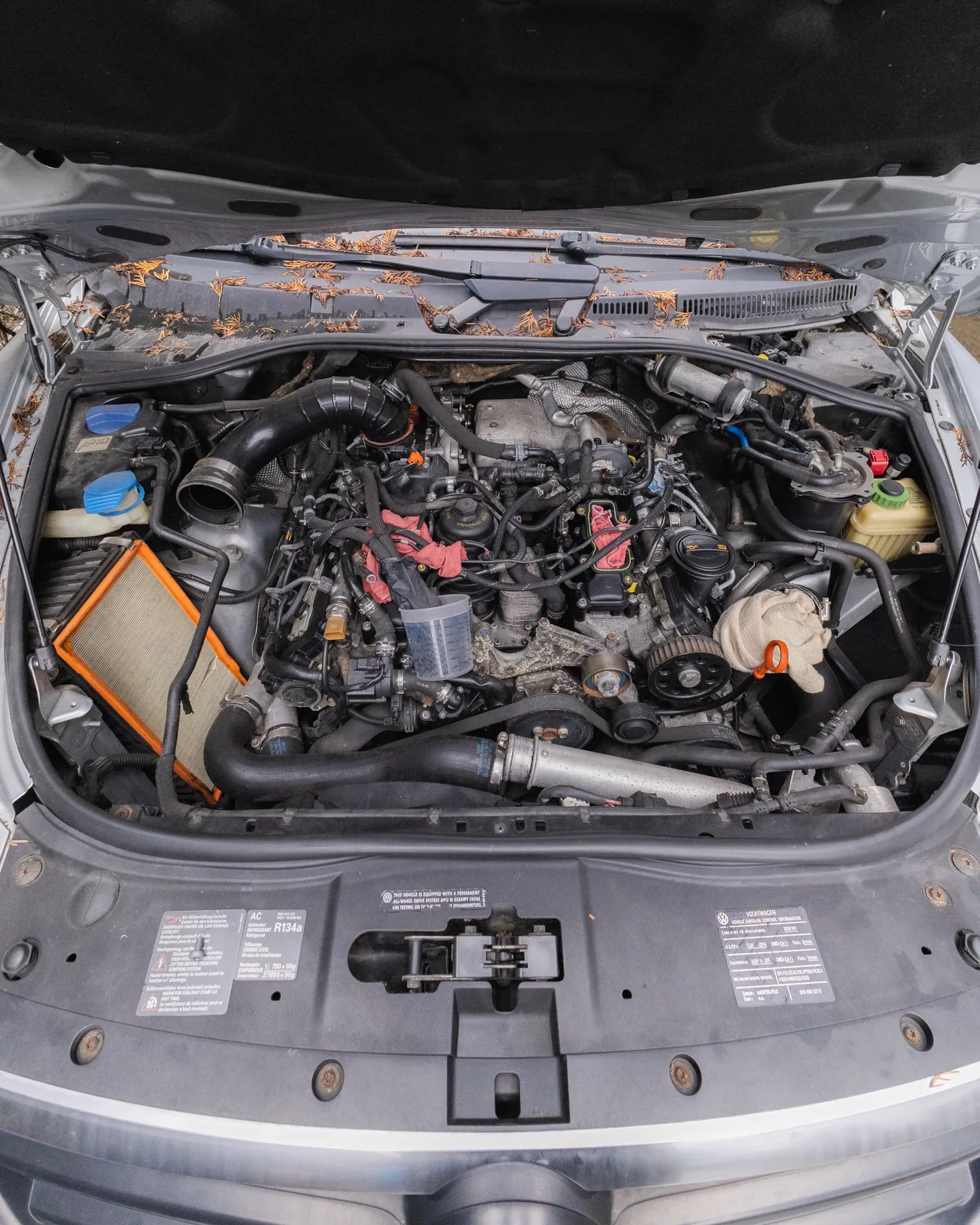
Your website should work like your best service advisor: answering questions, reducing friction, and making the next step obvious. Stressed drivers landing on your site worry about repairs, schedules, and costs. If your design forces them to hunt for information or navigate confusing menus, they'll book elsewhere. These seven design strategies transform your website into a booking engine that converts visitors into appointments.
Key Point: Your auto repair website has 3 seconds to convince a stressed driver that you're the right choice for their vehicle needs.
"73% of consumers will switch to a competitor after just one poor digital experience, making website design critical for auto repair shops." — Digital Customer Experience Report, 2024
Pro Tip: Think of your homepage as your digital storefront - it should immediately communicate trust, expertise, and convenience to convert browsers into bookers.
1. Make Your Phone Number and Address Instantly Visible
Put your phone number in the top-right corner of every page, sized for mobile tapping without zooming. Include your full address with an embedded Google Map on the homepage so drivers can confirm your location before reading further. When someone searches "brake repair near me" while hearing grinding noises, they need location confirmation in seconds, not after scrolling through service descriptions.
2. Design Service Pages That Answer Questions Before They're Asked
Each service page should explain what the repair involves, why it matters, how long it takes, and what customers can expect. Use simple language instead of technical terms and include a photo of the actual repair or equipment. Drivers searching for "check engine light diagnosis" want to know whether they can drop off their car, how long testing will take, and whether you'll call before performing any additional work. Clear service pages build customer confidence that you respect their time and won't surprise them with unexpected procedures.
3. Build Fast-Loading Pages That Respect Mobile Data
Mobile users abandon sites that take longer than 3 seconds to load, costing you half your potential bookings before anyone reads anything. Reduce image sizes, remove unnecessary scripts, and choose hosting that delivers content quickly across all devices. Users on cellular connections have little patience for buffering, and speed signals the professionalism they expect from your service.
4. Create Booking Forms That Feel Simple, Not Interrogative
Keep the first booking forms simple by asking only for essential information: name, phone number, preferred date, and vehicle issue. Request the VIN number, detailed history, and insurance information later via confirmation emails or in person. Long forms requiring information customers lack immediately (such as exact mileage or previous service dates) cause abandonment. Make the initial commitment easier, then build the relationship through helpful follow-up messages rather than paperwork.
5. Use Contrast and White Space to Guide Attention
Buttons for "Schedule Appointment” or "Get Quote" should stand out through color contrast against your background, surrounded by white space that makes them impossible to miss. Cluttered layouts with competing calls to action and dense text overwhelm visitors. Clean design with intentional spacing directs eyes toward actions that matter, creating a visual hierarchy that matches how stressed drivers scan pages when seeking help.
6. Display Certifications and Affiliations Above Service Listings
Show ASE certifications, manufacturer training badges, and industry memberships near the top of your homepage and service pages. These credentials answer the competence question immediately for drivers unfamiliar with your shop. A transmission specialist displaying factory training logos for major brands builds instant credibility that generic "quality service" claims cannot match. Position proof of expertise where anxiety peaks—when visitors decide whether to continue reading or return to search results.
7. Integrate Real-Time Availability Into Scheduling Tools
Putting a calendar on your website that shows open appointment times lets customers schedule themselves instead of playing phone tag. Real-time systems prevent double-booking and show customers exactly how long they might wait during busy times.
Many independent shops still rely on "call to schedule" methods and lose bookings to competitors that offer online booking. When people search for a local business on their phone, many visit or call a store within a day, so enabling immediate booking outperforms waiting for a callback.
What challenges do shops face with fragmented booking systems?
Most independent shops struggle because setting up these tools separately means dealing with multiple vendors, platforms, and subscriptions. You need a web designer to change your layout, a separate booking system that might not integrate with your schedule, and another tool to track customer information.
That fragmentation creates gaps where bookings get lost because your website can't communicate with your shop management system. Support Lane solves this by combining professional websites, online booking, and customer management into one dashboard, so design improvements and appointment data work together without separate logins or manual updates.
Build Trust Through Transparent Pricing Guidance
Give price ranges for common services (oil changes, brake pads, diagnostic fees) to help reduce anxiety about calling. List what's included in each service and explain factors affecting final costs, such as parts quality levels or additional work for rusted parts. Drivers who compare prices across multiple websites appreciate shops that respect their budget planning needs. Vague "contact for pricing" approaches suggest hidden costs and erode trust.
Optimize for Local Search Intent and Geographic Keywords
Organize your content around phrases that drivers search for, like "transmission repair [your city]," "brake service near [neighborhood]," or "check engine light diagnosis [zip code]." Include your city and surrounding areas naturally in service descriptions, page titles, and meta descriptions. Search engines prioritize locally relevant results, and specificity helps you capture high-intent searches from people ready to book.
Use Video to Humanize Your Team and Process
Short videos showing your facility, introducing technicians, or explaining common repairs build a connection that text and photos cannot match. A 60-second video of your service advisor walking through a diagnostic appointment helps first-time customers understand the process and feel less anxious. Video increases the time people spend on your site, signaling to search engines that your content answers visitors' questions. Unscripted videos work better than polished corporate productions because they reflect the actual experience customers will have.
Make Your Warranty and Guarantee Policies Prominent
Show your parts-and-labor warranty details on service pages and near booking buttons, not hidden in the fine print. Clear guarantees reduce customer worry about paying for repairs that don't solve their problem. Be specific: "12-month/12,000-mile warranty on all brake work" builds more confidence than vague "satisfaction guaranteed" promises. Make your commitment visible when customers decide whether to trust you with their vehicle.
Design for Accessibility Across All User Abilities
Make sure your site works with screen readers, provides sufficient color contrast for people with vision impairments, and supports keyboard navigation for those unable to use a mouse. Accessible design expands your customer reach and improves usability for everyone. Simple fixes like adding alt text to images, using descriptive link text instead of "click here," and organizing content with proper headings make your site more inclusive while helping search engines understand your content.
Create Content That Answers Common Repair Questions
Blog posts or FAQ sections answering questions like "How long do brake pads last?" or "What causes check engine lights?" attract organic search traffic from drivers researching problems before booking service. Answer questions thoroughly without requiring email signup or phone calls to access information. This positions your shop as helpful rather than transactional, building trust and goodwill that converts into loyalty when those researchers need repairs.
Test Your Booking Flow on Actual Mobile Devices
Desktop previews and responsive design tools miss real-world friction points like buttons that are too small to tap, forms that trigger awkward mobile keyboard interactions, or popups that block content. Walk through your entire booking process on an older smartphone with a slower connection to experience what budget-conscious customers face. If you struggle to complete an appointment request on your own site, fix those barriers before expecting stressed drivers to navigate them.
Monitor Where Visitors Drop Off and Fix Those Friction Points
Analytics tools identify which pages visitors leave without taking action, revealing design confusion or doubt. High exit rates on service pages suggest missing information or unclear next steps. Abandoned booking forms indicate excessive required fields or technical problems. Monthly reviews of user behavior data transform guesses about design effectiveness into evidence-based improvements.
Yet certain design mistakes still sabotage bookings in ways that aren't obvious until patterns emerge across frustrated customers.
Common Auto Repair Web Design Mistakes That Cost You Bookings, and How to Avoid Them
Shops invest in professional-looking websites, then wonder why visitors don't become paying customers. These failures rarely stem from obvious problems like broken links or outdated logos. Instead, they hide in structural choices that seem reasonable until frustrated visitors abandon your site for competitors who made smarter design decisions.
Key Point: The most damaging web design mistakes are invisible to shop owners but glaringly obvious to potential customers who need immediate service.
"75% of users make judgments about a company's credibility based on their website design alone." — Stanford Web Credibility Research, 2023
Warning: Even minor design flaws can cost you bookings when customers compare multiple auto repair shops and make split-second decisions about whom to trust with their vehicle.
Non-Responsive Design That Frustrates Mobile Users
Most drivers find your shop during a car emergency, phone in hand. When your website requires pinching and zooming to read your hours or tapping a non-functional phone number, you've created friction at the moment they need simplicity. Mobile users abandon sites that take longer than 3 seconds to load. Responsive layouts that adapt instantly to any screen size, with easy-to-touch buttons and readable text, match the urgency drivers feel when their transmission fails. Your mobile experience determines whether someone calls you or continues searching elsewhere.
Cluttered Layouts That Bury What Matters
Putting every service, seasonal promotion, and certification badge on your homepage creates visual noise that overwhelms visitors. Drivers with check engine lights don't need your complete service catalog—they need clear pathways to solutions. Organize related services logically with generous white space, eliminate competing calls to action, and guide stressed visitors toward booking instead of bouncing.
Slow Loading Times That Signal Outdated Operations
Pages that pause for even three seconds signal to drivers that operations are slow. They interpret sluggish websites as signs of slow service and won't test that theory when competitors load instantly. Compress images without sacrificing quality, minimize unnecessary scripts, and choose hosting that prioritizes speed over cost savings. Your site's performance becomes a proxy for your shop's efficiency before customers ever see your bays.
Missing or Hidden Online Booking Options
Requiring phone calls for appointments in 2025 forces customers into a workflow designed for your convenience, not theirs. Online booking should be your most prominent conversion path, not a buried menu option. Platforms like shop management software integrate scheduling directly into your website with real-time availability and automated reminders, eliminating phone tag that costs bookings. Customers see open slots instantly, select one, and it defaults to pending for your approval. Effortless booking removes the final barrier between interest and commitment, driving higher conversion rates.
Vague Calls to Action That Leave Visitors Guessing
Buttons labeled "Learn More" or "Contact Us" create hesitation because they don't promise specific outcomes. Effective CTAs tell visitors exactly what happens next, using action-driven language like "Schedule Your Brake Inspection" or "Get Your Free Diagnostic Quote." Place these prominently above the fold and repeat them strategically near service descriptions where decision-making peaks.
Even shops that fix these design mistakes still struggle with a deeper challenge: turning a functional website into an integrated system that runs their business while converting visitors.
How Support Lane Helps You Build a Website That Converts
A website that converts isn't a separate marketing project—it's your front door. Support Lane treats your customer-facing website as part of your shop management system, not an afterthought. Every service update, booking request, and customer interaction flows through one platform, keeping your online presence accurate and eliminating the friction that drives potential customers elsewhere.
Key Point: Your website becomes a seamless extension of your shop operations, ensuring real-time accuracy and zero disconnect between what customers see online and what you actually offer.
"Integrated platforms that combine website management with business operations reduce customer friction by 40% and improve conversion rates significantly." — Digital Commerce Research, 2024
Tip: When your booking system, service updates, and customer communications all sync automatically, you eliminate the manual errors that cost you potential sales and create a professional experience that builds trust.
Mobile-First Design That Matches How Customers Actually Search
Drivers stuck on the side of the road search "brake repair near me" on their phones, hoping for quick answers. Support Lane's hosted website features a responsive design that works on every screen size without requiring technical knowledge. You can upload hero images, change service descriptions, and update contact details from your dashboard while the platform handles loading speed and touch-friendly navigation. According to Forbes Advisor, 38% of people will stop using a website if the content or layout looks bad, and mobile layouts requiring zooming or sideways scrolling cause that problem immediately. Fast-loading, phone-optimized sites keep stressed drivers engaged long enough to book an appointment.
Integrated Booking That Removes Decision Paralysis
Most shop websites end with a phone number, forcing customers to call during business hours or abandon the idea. Support Lane embeds online booking into your website, pulling real-time availability from your existing calendar and service library. Customers select the repair they need, choose an available time slot, and submit a request pending your approval. Automatic reminders 24 hours before appointments reduce no-shows while freeing your phone lines from scheduling calls. Research from Salesgenie shows personalized CTAs convert 202% better than default versions: a booking button labeled "Schedule Your Brake Inspection" next to brake service details outperforms generic "Contact Us" prompts buried in navigation menus.
Unified Content Management That Keeps Information Current
Old service lists and wrong hours erode customer trust faster than bad reviews. Most shops use disparate tools for website updates, job tracking, and customer records, creating synchronization problems where information falls out of sync. Shop management software like Support Lane connects your website to core operations: job management, parts catalogs, invoicing, and customer data in one platform. When you add a new service or change hours in the dashboard, those changes appear across your website immediately. Customers see correct information without manual updates, preventing the trust damage that occurs when someone drives to your shop based on outdated website hours.
Social Proof Positioned Where Decisions Happen
Customer reviews hidden on separate pages don't help the worried driver comparing three shops in five minutes. Support Lane lets you collect and display real customer reviews directly on service pages and your homepage. Position them where visitors need reassurance most—a quote about fair transmission pricing above your transmission repair description converts skeptics into bookings because it addresses doubt at the moment of consideration, not after visitors have already left to call competitors.
How do communication tools bridge the gap between website visits and confirmed appointments?
Websites that end at inquiry forms create dead zones where interested customers wait for delayed responses. Support Lane extends your online presence with integrated email and SMS messaging, plus payment tools that send secure links for deposits or final balances.
Customers reply directly from their phones, and every interaction syncs back to job records and customer profiles. The flow from website visit to confirmed appointment to paid invoice occurs without switching platforms, eliminating the administrative friction that causes bookings to slip through the cracks between disconnected systems.
What happens when customers arrive at your shop?
The real test comes when customers arrive expecting the experience your online presence promised.
Related Reading
Sign up for Your Free Trial to Manage Your Auto Shop with Ease Today
Your website might follow every design principle perfectly, yet still fail to convert visitors if the tools behind it create friction. When forms are submitted into one system, invoices live in another, and service updates require manual entry across platforms, customers feel the delay. That gap between a polished website and fragmented operations is where bookings disappear.
Key Point: Integration between your website and backend operations is critical for customer conversion and retention.
Shop management software eliminates that disconnect by building your customer-facing website directly into the same platform you use for scheduling, invoicing, and job tracking. Your service catalog updates once and appears everywhere simultaneously. Online booking pulls from real availability, and customer messages sync to job records without copying information between apps.
"Every day without integration costs you appointments that should have been yours." — The reality of fragmented business operations
You get a customizable site with homepage control, service pages, testimonials, and booking functionality managed from the same dashboard where you move jobs across your Kanban board and create estimates. No technical knowledge required. Setup takes minutes, not weeks.
Warning: Competitors with seamless digital experiences are already capturing customers who found your site first but left frustrated.
Traditional Setup
Multiple disconnected systems
Manual data entry required
Weeks of technical setup
Outdated information delays
Integrated Platform
Single unified platform
Automatic synchronization
Minutes to go live
Real-time updates
Competitors with seamless digital experiences are capturing customers who found your site first but left frustrated by slow forms or outdated information. Every day without integration costs you appointments that should be yours.
Visit supportlane.io and start your free trial now. No credit card required. You'll have full access to the customer website and shop management tools immediately.
Ready to modernize your shop?
Join the independent auto repair shops already using Support Lane to manage their jobs, customers, and invoices in one place.