17 Best Auto Shop Management Software Comparisons for 2026

Running a successful auto repair shop means juggling appointments, inventory, customer communications, and invoicing while keeping your bays productive and your team organized. Many shop owners still rely on outdated systems or piecemeal software solutions that create more headaches than they solve. Poor organization leads to frustrated customers who share negative experiences online, directly impacting your auto repair marketing efforts. This comprehensive comparison evaluates 17 leading platforms side by side, examining their pricing structures, core features, and real-world advantages so you can choose the right solution without wasting time or money.
The right management platform streamlines everything from scheduling and estimates to parts ordering and customer follow-ups, giving you back hours each week to focus on growing your business. Instead of switching between multiple tools or manually tracking service histories, you get a unified system that helps your team work faster while delivering smooth, professional customer experiences. These positive interactions turn first-time visitors into loyal advocates who recommend your shop to friends and family, making the right shop management software essential for long-term success.
Table of Contents
What Is an Auto Shop Management Software, and Why Do Auto Repair Shops Need One?
What Features Should the Best Auto Shop Management Software Include?
Can Auto Shop Management Software Help Increase Revenue?
17 Best Auto Shop Management Software Comparisons for 2026
How to Choose the Best Auto Shop Management Software for Your Business
Why Modern Auto Repair Shops Choose Support Lane for Auto Shop Management
Sign up for Your Free Trial to Manage your Auto Shop with Ease Today
Summary
Auto shop management software consolidates scheduling, job tracking, inventory, invoicing, and customer communication into a unified system, eliminating fragmentation that causes jobs to stall, customers to wait for updates, and revenue to leak from preventable errors. Shops using integrated platforms instead of paper tickets and disconnected tools recover hours each week that previously disappeared into duplicate data entry, status-check phone calls, and the hunt for misplaced information across multiple systems.
Digital vehicle inspections with embedded photos and videos increase service approval rates by providing visual proof that customers can review and approve from their phones within minutes. This eliminates the doubt and delay that comes from verbal explanations over the phone, converting recommended maintenance into approved work before vehicles leave the lift. Shops that store complete customer and vehicle histories send automated service reminders based on mileage or time intervals, turning one-time visitors into repeat clients without requiring anyone to remember follow-up calls.
Real-time inventory systems that deduct parts the moment technicians assign them to jobs prevent both stalled repairs when critical components run out mid-job and cash tied up in slow-moving stock sitting unused on shelves. Platforms that integrate directly with supplier catalogs enable one-click ordering with accurate pricing based on actual usage patterns, eliminating manual counts and phone calls for quotes, which consume service advisors' time.
Shops that maintain a 40% markup on parts through automated pricing see substantially higher gross margins than those that rely on manual calculations. The mechanism works by removing the human step where pricing errors occur, either leaving money on the table through undercharging or accidentally overcharging, which can damage customer trust. Visual Kanban boards that display every job as a card moving through color-coded stages provide instant visibility into bottlenecks, technician capacity, and completion status without requiring constant interruptions for status updates.
Platforms chosen based on feature lists rather than actual workflow analysis often reveal clunky navigation when tested against the complexity of real shops, even if they looked complete during scripted demonstrations. Shops should walk through typical repair jobs from the phone call to the final payment, counting every manual step, duplicate entry, and information handoff to identify whether their biggest losses stem from scheduling chaos, unapproved estimates, parts markup errors, or technicians waiting for information. Testing real scenarios, such as handling six simultaneous Monday morning arrivals or rescheduling around a technician callout, during demos reveals whether the software fits actual daily operations.
Shop management software addresses workflow fragmentation by automatically flowing data from booking through payment, so customer details, vehicle history, and service preferences populate instantly across scheduling, estimates, invoicing, and communication functions, eliminating re-entry at each handoff.
What Is an Auto Shop Management Software, and Why Do Auto Repair Shops Need One?
Auto shop management software is the digital backbone that connects every moving part of your repair business into one unified system. Rather than juggling paperwork, separate scheduling tools, and disconnected inventory spreadsheets, Support Lane's shop management software provides a single platform handling everything from appointment booking to final invoice payment. It tracks repair orders in real time, manages parts inventory automatically, coordinates technician schedules, and maintains complete vehicle histories without requiring your team to switch between applications.
Key Point: Think of auto shop management software as your business's central nervous system – it eliminates the chaos of scattered information and creates seamless workflows that boost both efficiency and customer satisfaction.
"Modern auto repair shops that implement comprehensive management software see 25-30% improvements in operational efficiency and significant reductions in administrative overhead." — Automotive Service Industry Report, 2024
Why Your Shop Needs This: Without integrated management software, auto repair shops typically waste 2-3 hours daily on manual tasks like data entry, inventory tracking, and customer communication – time that could be spent on actual repairs and revenue generation.
Why independent shops can't compete without it
A technician waits for a part thought to be in stock. A customer calls for an update, but the service advisor can't locate the paper ticket. An invoice goes out with the wrong labor rate because someone pulled an outdated price from a spreadsheet.
According to a Forbes Tech Council analysis from October 2025, the disconnect between traditional shop operations and increasingly digital vehicle systems creates friction that independent shops can no longer absorb. When workflows depend on paper and memory, every handoff becomes a potential failure point.
How does a fragmented auto shop management software comparison impact daily operations?
Shops that use separate tools for scheduling, invoicing, and customer communication spend hours each week reconciling information across systems. You enter the same customer data multiple times and manually verify the arrival of parts.
You call customers because your scheduling app doesn't talk to your repair order system. This separation creates gaps where jobs slow down, customers grow frustrated, and revenue leaks through preventable mistakes.
How does auto shop management software comparison eliminate workflow bottlenecks?
Digital repair orders follow each vehicle from check-in through completion. Technicians update progress on tablets or phones, service advisors see the status instantly, and customers receive automatic notifications. When technicians select parts, the system deducts inventory in real time and flags reorders before stock runs out, preventing work stoppages caused by missing common items.
What scheduling and payment improvements can you expect?
Real-time scheduling displays show available bays and technicians, enable online appointment booking, and send automatic reminders that reduce no-shows. Our shop management software identifies empty bays and optimizes work allocation to maintain revenue flow. Current labor rates and part costs populate professional estimates for digital customer approval. The system then generates accurate invoices with online payment options and automatic follow-ups, improving cash flow without collection calls.
What the data reveals about your business
The reporting layer shows how much money you make by service type, how well each technician performs, and customer retention patterns. You can identify which repairs generate the most revenue, which technicians need support, and which customers have lapsed on scheduled maintenance. Our shop management software consolidates these insights into a single dashboard, eliminating the need to export spreadsheets from multiple tools and manually compile performance metrics.
How does auto shop management software comparison improve customer relationships?
Shops that maintain complete customer and vehicle records can send automatic service reminders based on mileage or elapsed time. This converts one-time visitors into repeat customers. Digital inspection reports with photos let customers approve additional work from their phones, building trust through transparency rather than relying on unseen phone explanations.
What determines software implementation success?
But the software only delivers value if your team uses it, and that's where most implementations quietly fail.
What Features Should the Best Auto Shop Management Software Include?

The right software handles every step from customer call to departure in one connected system: scheduling that syncs with bay availability, repair orders that update in real time as technicians work, inventory that deducts parts when used, and automated customer communication. When these pieces work together instead of living in separate tools or paper stacks, your shop eliminates double entry, miscommunication, and the scrambling that comes from patched-together systems.
Key Point: The best auto shop management software acts as a single source of truth for your entire operation, connecting scheduling, repair tracking, inventory management, and customer communication in one seamless workflow.
"Integrated management systems can reduce administrative time by up to 40% while improving customer satisfaction scores through better communication and faster service delivery." — Automotive Service Industry Research, 2024
Core Features, Function & Impact
Real-time scheduling
What it does: Syncs with bay availability and technician schedules
Impact: Eliminates double-bookings and maximizes productivity
Digital repair orders
What it does: Automatically updates as work progresses
Impact: Reduces errors and improves internal communication
Inventory integration
What it does: Tracks parts usage and stock levels in real time
Impact: Prevents stockouts and automates reordering
Customer communication
What it does: Sends automated updates and reminders
Impact: Increases customer satisfaction and reduces inbound phone calls
Tip: Look for software that offers mobile access for technicians on the shop floor - this ensures that repair updates, time tracking, and parts usage are captured instantly rather than entered later from memory or paper notes.
Real-Time Scheduling That Reflects Actual Capacity
Software should display open bays, technician availability, and estimated job duration based on your shop's history. When customers book online or call, the system accounts for parts availability and technician skill sets before confirming appointments. This prevents overbooking, which leaves vehicles idle, and eliminates gaps where bays remain empty due to poor visibility. According to a 2024 study by Auto Care Association, shops using integrated scheduling reduced wait times by 34% and increased daily vehicle throughput by an average of 2.3 cars per bay.
Digital Vehicle Inspections With Immediate Customer Approval
Technicians photograph worn brake pads, record leaking seals, and annotate diagrams on tablets while under the vehicle. These inspections generate reports sent via text within minutes, complete with pictures, explanations, and pricing. Customers approve additional services directly from their phones rather than waiting for callbacks or deciphering verbal descriptions. Visual proof eliminates doubt and accelerates decisions, converting recommended maintenance into approved work before the vehicle leaves the lift.
Repair Orders That Track Every Detail Automatically
The strongest platforms create digital work orders where technicians clock time, add parts, upload photos, and mark progress without paper. Service advisors see live updates on every job, knowing which vehicles are awaiting parts, in progress, or ready for pickup. This eliminates constant shop-floor interruptions for status updates and prevents errors caused by forgotten part numbers or lost instructions.
Inventory Management That Prevents Stockouts and Overstock
Software should remove parts from inventory the moment a technician assigns them to a job, not at the end of the day when someone manually counts usage. It triggers reorder alerts based on actual usage patterns and integrates directly with supplier catalogs, enabling one-click ordering with accurate pricing.
Shops avoid both stalled jobs from critical part shortages and cash tied up in slow-moving inventory that might never be installed.
Why does the auto shop management software comparison show manual tracking fails?
Manual tracking—checking stock levels by hand, calling suppliers for quotes, and hoping counts match reality—creates gaps where fast-moving parts run out mid-job or expensive inventory sits unused for months.
Our shop management software connects inventory directly to repair orders and supplier systems, automatically updating stock levels and flagging reorder points based on actual usage. This keeps the right parts available without tying up excess capital on shelves.
Integrated Payment Processing and Automated Follow-Up
When work is completed, it automatically moves into invoices with pricing from the original estimate. Customers can pay through the same platform using cards, digital wallets, or saved payment methods. The system sends payment reminders for unpaid invoices and requests reviews upon job completion. Automated service reminders based on mileage or time intervals bring customers back for maintenance, building repeat business that stabilizes revenue.
But the most feature-rich platform only matters if it improves the metrics that drive your business.
Related Reading
Can Auto Shop Management Software Help Increase Revenue?

Auto shop management software increases revenue by automating three mechanisms that manual systems cannot: capturing more opportunities per vehicle, completing more jobs per day, and maintaining predictable customer return schedules. The software automates these processes rather than relying on staff memory.
Key Point: The difference between manual tracking and automated systems isn't just efficiency—it's the ability to never miss a revenue opportunity that would otherwise slip through the cracks.
"Auto shop management software can help businesses capture 25-30% more revenue per customer visit by identifying additional service opportunities that manual processes typically miss." — Industry Research, 2024
Tip: The real power of management software lies in its ability to turn every customer interaction into a systematic revenue opportunity rather than leaving money on the table due to human oversight.
How It Increases Parts Revenue Without Raising Prices
Technicians with paper tickets often underestimate parts needed or forget to document every component replaced. Digital inventory systems track every part pulled from the shelf and automatically add it to the work order, while displaying recommended markup percentages based on cost. Shops maintaining a 40% markup on parts through automated pricing see substantially higher gross margins than those relying on manual calculations, since the system eliminates the human step where pricing errors occur.
How It Converts More Estimates Into Approved Work
Most shops send estimates as simple lists of services and prices, leaving customers to make decisions without context. Digital inspection tools embed photos of worn brake pads, leaking hoses, or corroded batteries directly into the estimate. Customers can approve individual line items from their phones while seeing exactly what needs attention. The visual proof removes doubt and the "I'll think about it" response that stops conversions, enabling approval in minutes instead of days.
How It Fills Schedule Gaps That Would Otherwise Stay Empty
Manual scheduling leaves invisible gaps: canceled appointments go unfilled because staff forgets to call wait-listed customers, or completed jobs leave bays idle until the next scheduled slot. Real-time dashboards show when capacity becomes available and automatically trigger notifications to waiting customers. The software also tracks service history and sends maintenance reminders, filling future slots before competitors do. Shops using shop management software that integrates scheduling with customer communication convert idle capacity into billable hours without adding staff or equipment.
How It Reduces the Revenue Drain From Inefficient Workflows
Technicians spend time walking to the front desk for approvals, hunting for parts in disorganized storage, or waiting for advisors to manually enter work orders into separate invoicing systems. These handoffs consume minutes that accumulate across dozens of jobs per week.
Integrated shop management software eliminates these trips by routing approvals digitally, displaying real-time parts availability on mobile devices, and auto-populating invoices from completed work orders.
What revenue impact can shops expect from eliminating workflow friction?
The time saved translates directly into more jobs completed each week, which increases revenue without extending hours or hiring additional technicians.
The software systematically removes friction points where revenue leaks from shops that are still running on paper and using disconnected tools.
17 Best Auto Shop Management Software Comparisons for 2026
Auto repair shop owners struggle with scattered paperwork, missed customer updates, empty bays, and lost revenue. The right auto shop management software solves these problems by consolidating all operations in one place, automating routine tasks, and providing real-time information that boosts efficiency and revenue. Here are 17 of the strongest options for auto shops.
Key Point: The best auto shop management software can increase shop efficiency by up to 30% while reducing administrative overhead and improving customer satisfaction scores.
Tip: When evaluating auto shop software, focus on solutions that offer integrated invoicing, inventory management, and customer communication tools rather than separate systems that don't communicate with each other.
1. Support Lane

Support Lane is a powerful, modern auto shop management platform built specifically for auto repair shops that want to eliminate paperwork chaos, reduce technician frustration, and stop losing revenue due to missed opportunities and poor communication. It unifies job tracking, customer engagement, scheduling, and financial operations into one intuitive system that delivers real-time visibility and automation, turning daily bottlenecks into smooth, profitable workflows.
Key Features
Kanban Job Management: Support Lane features a customizable Kanban board that gives shops complete visual control over every repair job. Drag-and-drop stages with color-coded pipelines let teams track progress instantly, trigger automatic actions like marking jobs as started or completed, and monitor time spent in each phase. This directly ends lost paper orders and miscommunication that cause idle bays and delayed completions.
Flexible Online Booking and Calendar: The platform includes a smart calendar view that lets staff create appointments quickly, while customers book online through a professionally hosted website. Availability is calculated automatically, appointments start as pending approval, and 24-hour reminders go out reliably. This consistently fills bays and eliminates no-shows that previously drained revenue.
Comprehensive Customer and Vehicle Management: Shops manage detailed customer profiles with notes, normalized phone numbers, and linked vehicle histories, including VIN decoding and mileage logs. This creates a complete 360-degree view, enabling personalized service and eliminating the frustration of missing records, which leads to repeated questions and lost trust.
Service Templates Library: Users build and manage reusable service templates with pre-defined labor, parts, sublets, and fees. Templates can be marked as bookable online or deactivated as needed. This speeds up the estimating process, ensures pricing consistency, and helps capture more recommended services, thereby increasing average repair order values.
Integrated Parts Catalog: Support Lane maintains an easy-to-use parts database with names, SKUs, and prices that populate automatically from jobs and templates. Technicians add parts to repairs instantly, reducing the time wasted hunting for components and preventing stock-related delays that stall jobs.
Professional Invoicing and Estimating: The system automatically generates estimates and invoices from job services and allows full customization of line items. Features include auto-generated numbers, PDF downloads, estimate-to-invoice conversion, and void options. This removes calculation errors and speeds up collections that previously tied up cash flow.
Location-Specific Tax Configuration: Taxes are configured per location, with support for complex setups such as separate GST/PST or Quebec-style rates applied to specific categories. This ensures billing accuracy across multiple sites and eliminates compliance headaches that create financial leaks.
Flexible Payment Processing: Support Lane tracks amounts owed and handles manual deposits, payments, and refunds, while supporting online payment links and optional in-person POS terminals with custom shop branding. Customers receive receipts automatically, creating a frictionless checkout experience that improves satisfaction and cash flow.
Two-Way Support Lane Chat: Built-in messaging lets shops communicate with customers via SMS or email directly from the platform. Customer replies appear instantly in the system, creating a single conversation thread tied to jobs and appointments. This replaces scattered texts and calls that lead to misunderstandings and missed follow-up opportunities.
Customer-Facing Hosted Website: Each location gets a professional website hosted on Support Lane (or custom domain) with editable hero images, services, team pages, and contact forms. This modern storefront improves online presence, drives direct bookings, and builds credibility, turning first-time visitors into loyal customers.
Best For
Support Lane works best for independent auto repair shops and multi-location operations that need an affordable yet powerful system to replace manual processes, improve customer experience, and scale efficiently. It suits owners tired of fragmented tools who want real-time control and automation without enterprise-level complexity or cost.
Pros
Highly visual Kanban system that brings immediate clarity to shop floor operations
Strong customer-facing tools, including online booking and messaging, that boost retention and revenue
Flexible configuration for taxes, payments, and locations that supports growth
Quick data import and mobile-friendly design that reduces implementation pain
Automation of reminders and workflows that directly cut no-shows and administrative time
Con
Teams transitioning from paper systems may need short training to use all features fully
Accessibility
Support Lane is fully cloud-based with a responsive design that works seamlessly on desktops, tablets, and mobile devices. Technicians and managers access the platform from anywhere with an internet connection, ensuring real-time updates even on the shop floor.
2. Pam
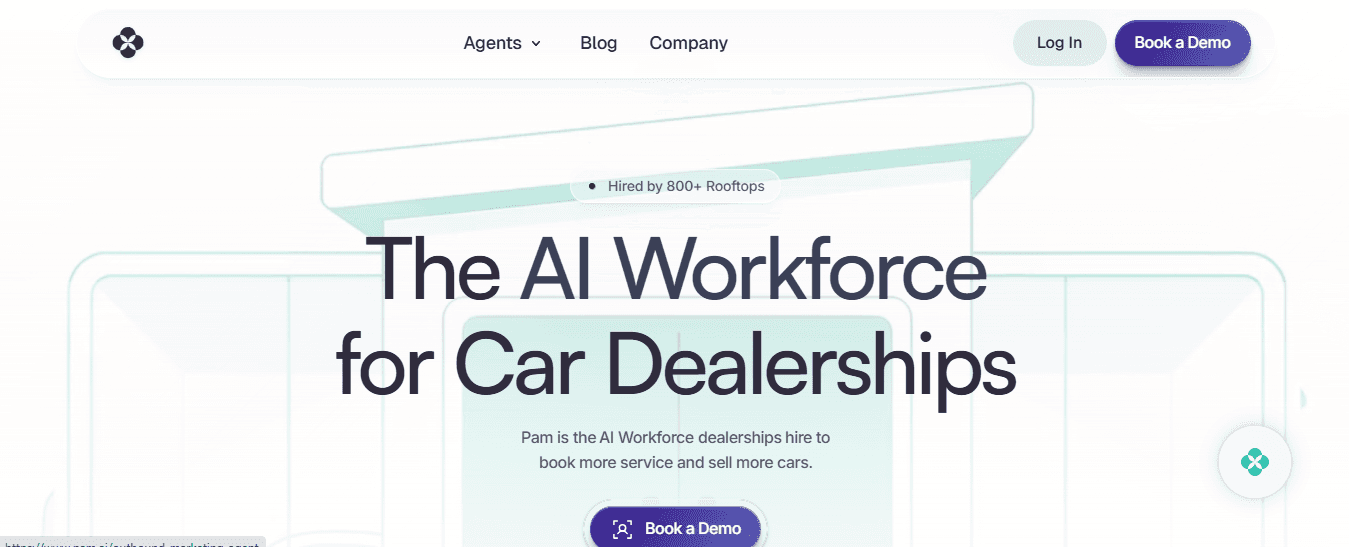
Pam functions as an AI-powered virtual receptionist that integrates seamlessly with auto shop management workflows to handle inbound calls, schedule appointments, and nurture leads 24/7. This directly solves the problem of missed inquiries and front-desk bottlenecks that cause customers to walk away and revenue to leak.
Key Features
AI call answering and appointment scheduling
Lead nurturing with automated follow-ups
Integration with major scheduling and dealership systems
Real-time availability syncing to prevent overbooking
Customer data capture for building detailed histories
Performance analytics on conversion rates
Multi-location support for scaled operations
Best For
Shops and dealerships are overwhelmed by phone volume and want to convert more calls into booked jobs without hiring extra staff.
Pros
Dramatic reduction in missed opportunities and no-shows
Fast one-day implementation that delivers quick ROI
Frees service advisors for higher-value tasks
Cons
Best as a complement to core shop management tools
AI interactions may need occasional human oversight for complex requests
Accessibility
Cloud platform with easy integration and mobile management capabilities.
3. GaragePlug
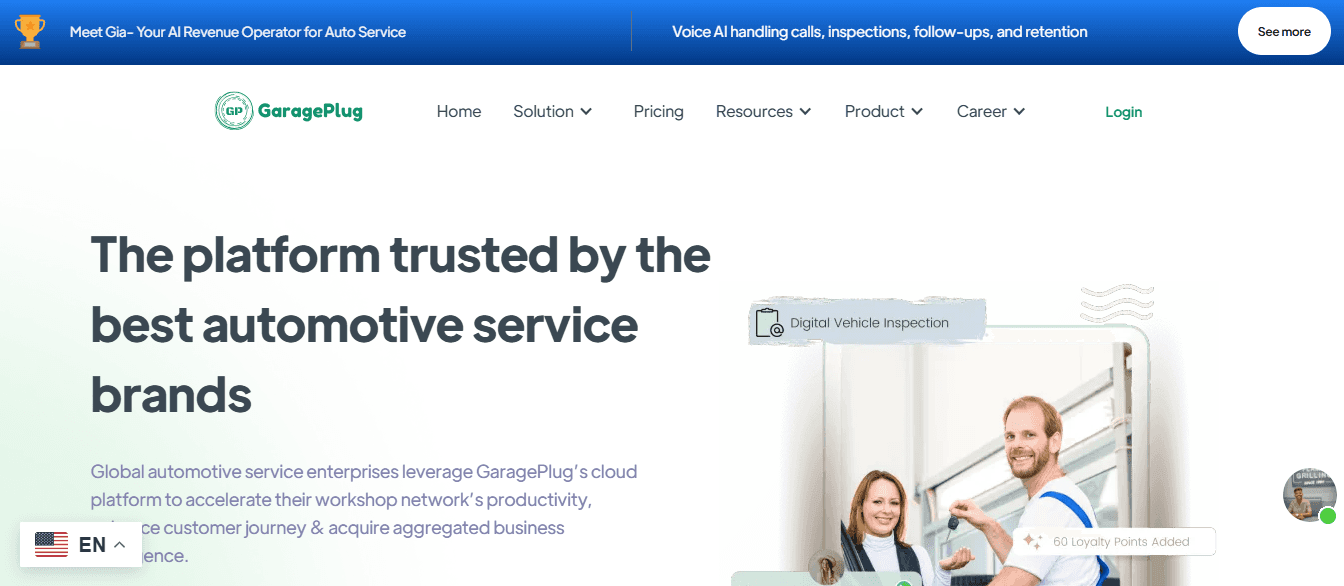
GaragePlug serves as a cloud-based end-to-end solution that centralizes appointment booking, service tracking, billing, and customer engagement for modern workshops. It addresses inventory shortages, delayed approvals, and poor retention by providing real-time visibility and automated communications that keep jobs moving and customers coming back.
Key Features
Digital job cards with e-signatures and mobile updates
Automated service reminders via SMS, email, and WhatsApp
Real-time inventory tracking and supplier integration
CRM-style customer engagement tools
Invoicing and payment processing
Multi-user access with role-based permissions
Analytics dashboards for performance insights
Best For
Multi-location or growing independent garages that need scalable, mobile-first operations to eliminate manual errors.
Pros
Strong automation that cuts administrative time significantly
Excellent customer communication features that improve loyalty
Paperless workflow that boosts overall shop throughput
Cons
Learning curve for teams new to cloud tools
Customization options may require support assistance
Accessibility
Fully cloud-based with dedicated mobile apps for technicians and managers.
4. AutoLeap

AutoLeap delivers a complete workshop management system covering scheduling, technician assignments, inventory, estimating, and invoicing. It tackles revenue leaks through improved visibility, faster workflows, and data-driven decisions, turning operational inefficiencies into higher average repair values and repeat business.
Key Features
End-to-end job scheduling and workflow tracking
Digital vehicle inspections with photo documentation
Real-time inventory management and parts ordering
Advanced reporting and owner dashboards
Automated customer communication and reminders
Integrated estimating and payment processing
Vehicle history and CRM tools
Best For
Independent repair shops focused on operational visibility, customer retention, and measurable growth.
Pros
Powerful analytics that reveal revenue opportunities
Strong retention tools that increase repeat visits
User-friendly interface that reduces technician frustration
Cons
A higher pricing tier may not suit very small single-bay shops
Some advanced features take time to fully utilize
Accessibility
Cloud-based platform with robust mobile applications.
5. ePROMIS

ePROMIS offers an enterprise-grade business management suite tailored for service centers, with modules for inventory, CRM, finance, and HR. It solves multi-location coordination problems, cash flow issues, and standardization gaps by consolidating all operations into a single centralized system with robust financial controls.
Key Features
Integrated inventory and procurement management
Full CRM with customer and vehicle tracking
Financial management and real-time profitability reports
HR tools for technician scheduling and performance
Standardized workflows across multiple locations
Service and sales operation linking
Compliance and centralized reporting
Best For
Larger garages and multi-location groups that require scalable processes and detailed financial oversight.
Pros
Excellent for standardizing operations and controlling costs
Deep financial insights that protect margins
Comprehensive coverage that reduces the need for multiple tools
Cons
More complex setup than simpler platforms
Best suited for larger operations rather than very small shops
Accessibility
Cloud-based with enterprise-level access controls and multi-device support.
6. Bookmot
Bookmot delivers a clean, straightforward booking and scheduling platform built for smaller independent auto repair shops that need simplicity without sacrificing essential control. It directly tackles overbooking, missed appointments, and disorganized calendars that lead to idle bays and frustrated customers by providing an intuitive real-time interface and automated updates.
Key Features
Real-time calendar with drag-and-drop appointment management
Online booking links for direct customer self-scheduling
Automated reminders via text and email to cut no-shows
Basic customer and vehicle record storage
Simple job status tracking
Staff assignment and availability overview
Quick reporting on booking trends and utilization
Best For
Small single-location garages and independent workshops that want reliable appointment management without complex features or steep learning curves.
Pros
An extremely user-friendly design that teams adopt quickly
Effective at reducing missed visits and filling the schedule
Low overhead that fits tight budgets while solving daily chaos
Cons
Limited advanced inventory or deep financial tools
May need pairing with other systems for full end-to-end operations
Accessibility
Cloud-based with mobile-friendly access for basic updates on the go.
7. Autorox
Autorox is a mobile-first, integrated auto shop management platform that digitizes the entire repair process, from booking to final payment. It solves slow approvals, miscommunication, and delayed parts issues by enabling real-time updates, visual inspections, and instant customer notifications, keeping jobs flowing smoothly and increasing service completion rates.
Key Features
Digital job cards with mobile technician updates
Real-time service status tracking and notifications
Inventory control with parts procurement support
Digital customer approvals via phone
Automated service reminders and follow-ups
Built-in estimating and invoicing tools
Performance dashboards for bay and technician efficiency
Best For
Modern independent repair shops focus on accelerating repair cycles, improving the customer experience, and boosting daily throughput.
Pros
Strong emphasis on mobile access that reduces floor delays
Excellent customer communication tools that build trust fast
Helps capture more upsells through visual proof and quick approvals
Cons
Some features may feel advanced for absolute beginners
Full benefits require consistent team adoption
Accessibility
Fully cloud-based with dedicated Android and iOS apps for technicians and managers.
8. AutoInTouch
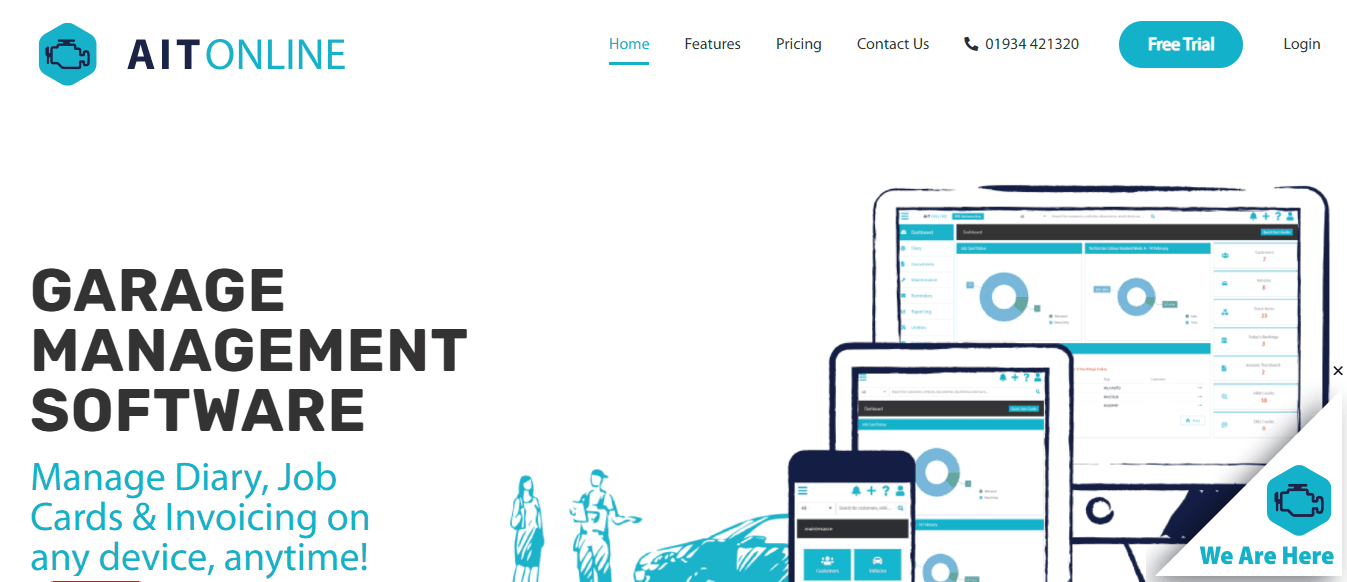
AutoInTouch specializes in communication-driven auto shop management that combines appointment handling with automated reminders and CRM capabilities. It addresses high no-show rates, lost repeat business, and weak customer relationships by delivering timely, personalized messages and tracking service history that turn one-time visitors into loyal, regular clients.
Key Features
Automated SMS and email reminders for appointments
Customer relationship management with service history
Targeted promotions based on vehicle records
Appointment scheduling and tracking
No-show reduction tools
Integration with accounting systems
Detailed customer communication logs
Best For
Shops struggling with customer retention and frequent missed appointments who want to strengthen loyalty through proactive outreach.
Pros
Proven reduction in no-shows and increase in repeat visits
Builds stronger customer connections without extra staff effort
Supports consistent revenue through timely service offers
Cons
Less emphasis on deep inventory or bay management
Works best alongside a core operational platform
Accessibility
Cloud platform with strong mobile messaging capabilities.
9. TechMan
TechMan provides robust shop control for complex service operations with strong automation across work orders, parts, and technician management. It eliminates bottlenecks from manual assignments, stock issues, and unclear progress tracking by offering granular oversight, integrations, and performance metrics that maximize productivity and reduce wasted time.
Key Features
Advanced work order generation and tracking
Technician task assignment and time clocking
Integrated parts inventory and supplier connections
Automated customer communications and authorizations
Detailed operational reporting and analytics
SLA enforcement and progress monitoring
Workshop performance dashboards
Best For
Larger or busier workshops that need precise control over operations, technician productivity, and resource allocation.
Pros
Comprehensive automation that boosts overall efficiency
Strong integrations with technical data and suppliers
Clear insights that help optimize staffing and pricing
Cons
Can feel feature-rich for very small operations
Setup may take longer to customize fully
Accessibility
Cloud-based system with tablet and mobile support for use on the shop floor.
10. CarVue

CarVue serves as a cloud-based hub for work orders, inventory tracking, and customer engagement, keeping everything centralized and accessible. It resolves scattered records, poor transparency, and front-desk friction by providing live updates, complete histories, and simple tools that build trust and streamline the entire customer journey.
Key Features
Centralized work order and job tracking
Parts inventory management
Customer record and vehicle history storage
Live service status updates for customers
Automated service reminders
Mobile-friendly technician access
Basic reporting for shop performance
Best For
Small to medium-sized auto shops seeking an accessible, all-in-one solution for job tracking and customer communication.
Pros
Straightforward interface that reduces training time
Good balance of features for everyday operations
Enhances transparency that leads to higher customer satisfaction
Cons
May lack some advanced enterprise-level analytics
Scaling to very large multi-site operations might need supplements
Accessibility
Cloud-based with mobile support for easy access across devices.
11. MAM Autowork Online
MAM Autowork Online delivers a robust cloud-based auto shop management solution with strong parts supplier integrations that directly resolve stockouts, procurement delays, and inaccurate billing. It centralizes repair orders, inventory, and customer data to eliminate manual tracking errors and support scalable operations across single or multiple locations.
Key Features:
Integrated parts catalog and supplier connections for fast ordering
Digital repair order management with full job tracking
Inventory optimization and stock level alerts
Customer communication and service reminders
Invoicing with accounting tool integrations
Workshop diary and appointment scheduling
Multi-location standardization and reporting
Best For
Garages focused on parts-heavy operations and those expanding to multiple sites that need precise inventory control and supplier efficiency.
Pros
Excellent parts management that prevents job delays and protects cash flow
Scalable design that grows with the business
Reduces administrative workload through automation
Cons
The interface may feel less modern compared to newer platforms
Stronger focus on parts than on advanced digital inspections
Accessibility
Fully cloud-based with web access and mobile compatibility for key functions.
12. Motasoft
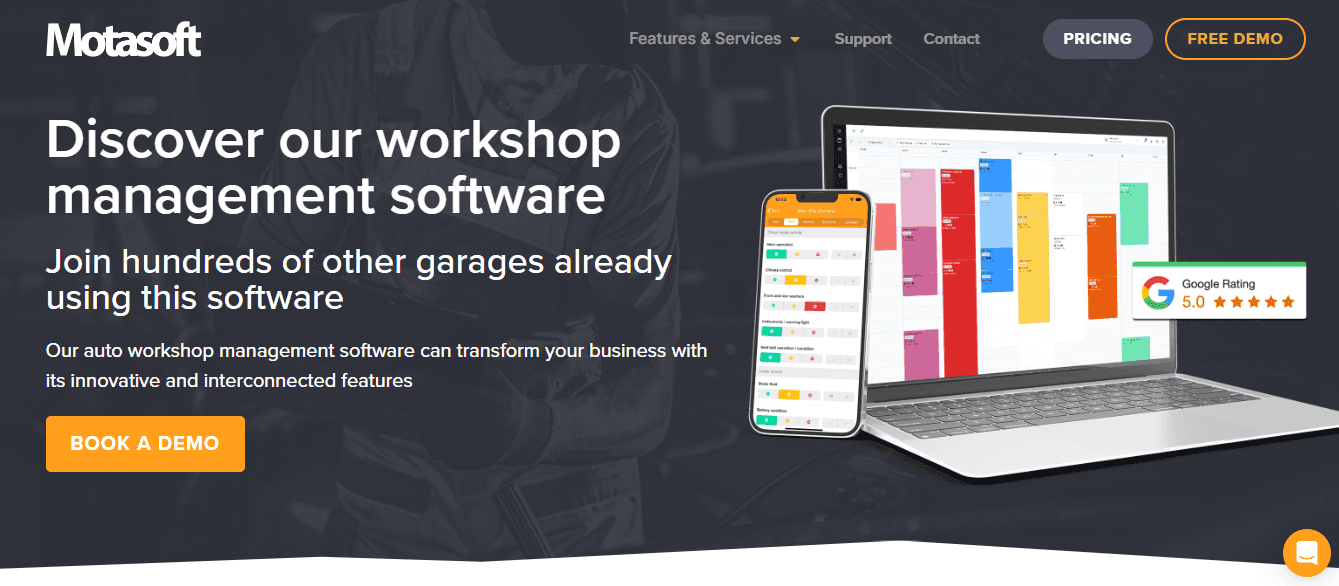
Motasoft, through its Virtual Garage Manager, offers a practical and affordable platform for workshop management with emphasis on usability, online bookings, and customer reminders. It tackles disorganized scheduling, high no-show rates, and basic operational friction that waste time and cost revenue.
Key Features
Workshop diary with real-time scheduling
Online booking integration
Automated SMS and email reminders
Job sheet and repair order management
Customer and vehicle history tracking
Basic inventory and parts handling
Accounting integrations for invoicing
Best For
Small to mid-sized independent shops seeking straightforward, cost-effective tools without overwhelming complexity.
Pros
Simple setup that ends daily paperwork headaches quickly
Strong automation for reminders and bookings
Budget-friendly while covering essential needs
Cons
Limited advanced analytics and reporting depth
May require additional tools for complex inventory needs
Accessibility
Cloud-based platform with mobile-friendly access.
13. GarageHive
GarageHive provides a community-driven auto shop management system shaped by real workshop feedback, covering scheduling, job tracking, invoicing, and customer service. It solves inconsistent processes and slow feature development by delivering practical tools that adapt to actual shop floor challenges.
Key Features
Appointment scheduling and bay management
Digital job tracking and progress updates
Invoicing and payment processing
Customer communication tools
Inventory management basics
User-guided feature development
Performance reporting dashboards
Best For
Independent garages that value software built by mechanics for mechanics and want ongoing improvements based on real user input.
Pros
Highly practical features aligned with daily shopping needs
Community focus ensures relevant updates
Reduces admin load while maintaining control
Cons
Smaller feature set than enterprise solutions
Growth may depend on a community-driven roadmap
Accessibility
Cloud-based with mobile support for technicians.
14. Auto Garage Network
Auto Garage Network emphasizes transparent customer connections through digital records, online booking, and continuous repair updates. It addresses lack of trust, poor visibility, and weak engagement by creating clear communication channels that strengthen relationships and encourage repeat business.
Key Features
Digital service records and vehicle history
Online appointment booking
Real-time repair status updates
Customer portal for transparency
Automated notifications and reminders
Service history access for clients
Basic job and workflow management
Best For
Customer-focused shops that want to build trust and loyalty through modern, transparent engagement tools.
Pros
Enhances customer experience and satisfaction
Builds long-term loyalty with easy access to records
Reduces front-desk questions and callbacks
Cons
Less emphasis on deep inventory or financial modules
Best paired with stronger operational tools
Accessibility
Cloud platform with customer-facing portal and mobile access.
15. CarPro
CarPro focuses on structured job tracking and real-time visibility for managers with clear booking, repair documentation, and resource allocation. It eliminates delays caused by unclear progress, poor accountability, and resource misallocation by providing real-time oversight, keeping operations smooth and predictable.
Key Features
Booking and appointment management
Real-time job progress tracking
Technician task assignment
Customer interaction documentation
Resource allocation tools
Performance and utilization reports
Workflow standardization features
Best For
Managers who need operational clarity, accountability, and visibility to reduce bottlenecks and improve daily throughput.
Pros
Strong transparency that minimizes surprises
Better resource use that fills bays efficiently
Supports faster decision-making on the floor
Cons
May lack some advanced customer communication extras
Interface prioritizes function over modern design
Accessibility
Cloud-based with real-time access across devices.
16. Shopmonkey
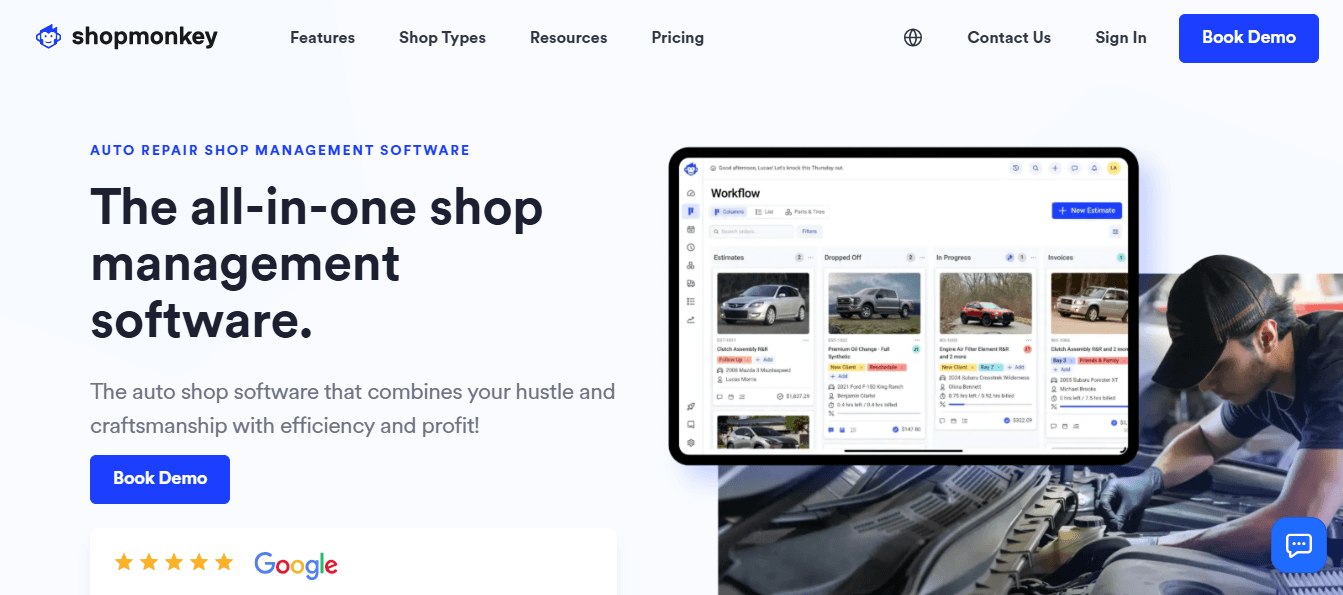
Shopmonkey provides a modern, cloud-based auto shop management platform with a strong emphasis on polished customer communication, digital inspections, and streamlined workflows. It directly resolves slow approvals, poor transparency, and lost upsell opportunities by delivering visual tools and automated updates that build trust, increase average repair values, and reduce frustration for technicians and customers.
Key Features
Digital vehicle inspections with photo and video documentation
Automated customer messaging and approval requests
Real-time job board and workflow tracking
Integrated scheduling and online booking
Inventory management with parts ordering
Professional invoicing and digital payments
Performance analytics and owner dashboards
Best For
Independent and growing auto repair shops that prioritize excellent customer experience and modern, intuitive tools to stand out from competitors.
Pros
Sleek interface that teams and customers love
Strong focus on digital inspections that boost service acceptance
Excellent automation that cuts no-shows and speeds up cycles
Cons
Pricing may be higher for very small single-bay operations
Some advanced inventory features require add-ons
Accessibility
Fully cloud-based with responsive mobile apps for iOS and Android.
17. Tekmetric
Tekmetric delivers a powerful, user-friendly shop management system built by former shop owners, offering deep reporting, technician management, and operational control. It tackles inefficiencies in bay utilization, technician productivity, and data visibility by providing precise insights and tools that optimize resources and support confident scaling decisions.
Key Features
Advanced digital vehicle inspections and estimates
Comprehensive reporting and profitability analytics
Technician time tracking and performance metrics
Inventory management with real-time alerts
Customer relationship and service history tools
Integrated scheduling and workflow automation
Multi-location support with centralized control
Best For
Growing independent repair shops and multi-location operations that need strong data insights and process control to maximize revenue and efficiency.
Pros
Excellent reporting that reveals hidden revenue opportunities
Intuitive design with fast adoption across teams
Proven tools for improving technician productivity and shop throughput
Cons
May include more features than very small shops initially need
Full customization can take time during onboarding
Accessibility
Cloud-based platform with full mobile access for shop floor and management use.
Choosing between these seventeen platforms depends on where your shop loses the most time and revenue today, but knowing your priorities is only half the battle.
Related Reading
Ppc Advertising For An Auto Repair Shop
How to Choose the Best Auto Shop Management Software for Your Business

The right auto shop management software eliminates the specific problems draining your shop's time and money. Identify whether your biggest losses stem from scheduling chaos, unapproved estimates in limbo, parts markup errors, or technicians waiting for information. Choose a platform that directly addresses those pain points rather than offering generic features misaligned with how your team works.
Key Point: Focus on software that solves your actual operational bottlenecks, not just the features that look impressive in demos.
"The most successful auto shops choose management software based on their specific workflow challenges, not generic feature lists." — Industry Best Practices, 2024
Pro Tip: Before evaluating any software, spend one week documenting exactly where your team loses the most time and revenue - this becomes your selection criteria.
Map Your Workflow Before Comparing Features
Walk through a typical repair job from phone call to final payment and note every manual step, duplicate entry, and information handoff. Count how many times data moves between systems, how often technicians interrupt service advisors for updates, and where jobs stall waiting for approvals or parts confirmation. This reveals whether you need stronger scheduling logic, better mobile access for bay-level updates, tighter parts integration, or automated customer communication. Shops that skip this assessment often choose platforms based on feature lists rather than on actual friction points, costing them 3 billable hours per day.
Test Real Scenarios During Demos
Ask vendors to demonstrate their system using your actual workflows rather than scripted sales presentations. Request they show how it handles a busy Monday morning with six customers arriving simultaneously, a parts delay on a half-finished job, and a customer calling about estimate approval. Watch how many clicks it takes to reschedule around a technician callout or generate an invoice for a multi-service repair with warranty parts. Platforms that feel intuitive during generic demos often reveal clunky navigation when tested against the complexity of real shops. Shops using properly matched shop management software see 50% annual revenue growth, but only when the software fits their actual daily operations.
Prioritize Integration Over Isolated Capabilities
Most shops already use accounting software, parts suppliers with online catalogs, payment processors, and marketing tools. Your platform should connect directly to these systems rather than forcing parallel data maintenance. Separate scheduling tools, invoice generators, and inventory trackers create inefficiencies. Platforms like shop management software bring these functions into unified workflows where a completed repair order automatically updates inventory, triggers invoicing, sends customer notifications, and syncs financial data without manual transfers.
How do you calculate total cost against measurable returns in auto shop management software comparison?
Look beyond monthly subscription fees to implementation expenses, training time, per-user charges, and costs for essential add-ons like payment processing or advanced reporting. Estimate recoverable losses from your current system: three weekly no-shows costing $450 in lost labor, $200 monthly in unmarked parts, or two hours daily that service advisors spend on phone tag instead of selling services.
Quality platforms pay for themselves within ninety days through captured revenue and recovered time, but only if you measure specific improvements rather than assume efficiency gains will materialize.
Why do some shops extract more value from the same tools?
Picking the right platform is only half the battle. The other half is understanding why some shops consistently extract more value from the same tools than their competitors.
Related Reading
Why Modern Auto Repair Shops Choose Support Lane for Auto Shop Management
Auto shops that use management software see a 35% increase in operational efficiency, but only when the software matches how they work. Most software forces shops to change their processes to fit the software's rules. Our Support Lane shop management software adapts to how shops repair cars instead.
"Auto shops that use management software see a 35% increase in operational efficiency, but only when the software matches their actual workflow." — Support Lane Research, 2024
Key Takeaway: The difference between successful software adoption and failed implementations comes down to workflow compatibility - shops need software that adapts to their processes, not the other way around.
Pro Tip: When evaluating auto shop management software, prioritize solutions that offer customizable workflows over rigid, one-size-fits-all systems that force operational changes.
How does consolidation eliminate the integration tax in auto shop management software comparison?
Independent shops usually run three to five separate systems that don't connect: scheduling, estimates, invoicing, customer communication, and parts ordering. Each time information moves between systems, it creates problems. Service advisors must type customer details from scheduling into estimates, copy line items into invoicing, and manually text updates using personal phones.
Support Lane combines all of these into one platform where information moves automatically from booking through payment. When a customer schedules online, their vehicle history, previous services, and contact preferences populate instantly across every function. Technicians update job status once, which automatically adjusts the calendar, sends customer notifications, and prepares the invoice simultaneously.
What are the real costs of fragmented systems?
The real cost of fragmentation is delayed decisions while hunting for scattered information, abandoned estimates because advisors cannot quickly access service history, and lost customers who expect digital communication and online booking. Unified platforms eliminate those gaps.
How does visual workflow management solve common shop communication problems?
Paperwork orders and spreadsheet tracking force constant status questions: technicians interrupt advisors for bay assignments, advisors call the shop floor to verify completion times, and owners lack real-time visibility into bottlenecks.
Support Lane's Kanban board displays every job as a card moving through color-coded stages: check-in, diagnosis, waiting for parts approval, active repair, quality check, and ready for pickup. Dragging a card from "waiting for approval" to "in progress" automatically logs start time, notifies the customer, and updates bay utilization metrics. Shop owners instantly see three jobs stuck in parts approval, two technicians with open capacity, and one vehicle ready for pickup with no customer contact in six hours.
Why do visual interfaces work better than traditional auto shop management software comparison options?
This visual management style mirrors how shops think about work. Technicians see bays filled or empty, cars waiting or moving, parts arrived or delayed, not database entries.
Platforms forcing shops into list views or table formats create cognitive friction because staff must translate visual reality into abstract data, then back again. Support Lane skips that translation entirely.
How do customer-facing tools close the trust gap in auto shop management software comparison?
Support Lane treats customers as active participants rather than data records. The hosted website enables customers to book online anytime, displays service descriptions with clear pricing, and sends automatic confirmations that reduce no-show concerns.
Two-way text messaging keeps conversations organized and connected to job records. When a customer asks, "Is my car ready?" the reply includes the exact completion time, total cost, and a payment link without the advisor switching between systems.
Why does digital transparency build customer loyalty faster than discounts?
Being open about your business builds customer loyalty faster than offering discounts. Customers who see pictures of worn brake pads in their estimate, approve services with a tap, and track repair progress through automated updates trust the shop's recommendations because they participated in the decision. They return because the experience eliminated uncertainty.
How fast you adopt the software matters more than how many features it has. Great software delivers nothing if your team won't use it.
Sign up for Your Free Trial to Manage your Auto Shop with Ease Today
The software that works best is the one your team uses. Support Lane removes the friction that hinders adoption by consolidating scheduling, invoicing, job tracking, and customer communication into a single visual platform designed for how independent shops operate. No separate logins for estimates and payments, no duplicate data entry between systems, no training manuals that sit unread while technicians return to paper tickets.
Tip: The best shop management software is worthless if your team won't use it consistently.
Staying with disconnected tools means your team loses time hunting for customer history across spreadsheets, chasing payment status through phone calls, and explaining job delays that real-time visibility could prevent. The cost of waiting isn't just inefficiency—it's revenue lost when customers choose competitors with faster communication and transparent processes.
"The cost of waiting isn't just inefficiency—it's revenue walking out the door when customers choose competitors with faster communication and transparent processes."
Support Lane offers a free demo that imports your actual customer data so you can test real workflows. You'll see your shop's jobs move across the Kanban board, watch automated booking fill schedule gaps, and experience customers approving estimates with a tap instead of a phone call. No credit card, setup fees, or pressure to commit before you've proven it works.
Takeaway: Test Support Lane with your real data before making any commitment—see exactly how it transforms your daily operations.
The shops that grow in 2026 will be the ones that eliminate operational friction, slowing everyone else down. Visit SupportLane.io today and request your demo. Your team deserves tools that match how they work, and your customers deserve the transparency that builds trust.
Ready to modernize your shop?
Join the independent auto repair shops already using Support Lane to manage their jobs, customers, and invoices in one place.