What Is Automotive Shop Workflow Management and Why Use It?
Running an auto repair shop means keeping technicians, job orders, parts, and customer expectations moving in sync, often all at once. When one piece slips, the entire day can unravel. Strong automotive shop workflow management is what separates shops that consistently hit their targets from those constantly playing catch-up. Understanding how to structure that workflow is the first step toward fewer mistakes, faster turnarounds, and more predictable revenue.
Putting that structure into practice gets much easier with the right tools. Bringing job scheduling, repair order tracking, technician assignments, and customer communication into a single system removes the guesswork that slows most shops down. Teams know what to do next, managers stay ahead of bottlenecks, and customers get the updates they expect. Shops ready to make that shift can start with shop management software.
Table of Contents
What Is Automotive Shop Workflow Management, and How Does It Work?
Why Is Workflow Management Important for Auto Repair Shops?
What Are the Common Signs of Poor Shop Workflow Management?
What Are the Key Elements of an Effective Automotive Shop Workflow?
8 Best Practices for Improving Automotive Shop Workflow Management
How Support Lane Simplifies Automotive Shop Workflow Management
Sign up for Your Free Trial to Manage Your Auto Shop with Ease Today
Summary
Technician idle time is one of the most expensive and least visible problems in auto repair shops. Research indicates that knowledge workers spend nearly 20 percent of their time searching for and gathering information, and shop technicians waiting on approved estimates, parts confirmations, or next-job assignments face the same drain. A shop losing one productive hour per technician per day across a team of four loses roughly 80 billable hours a month, revenue that disappears into coordination failures rather than completed repairs.
Most workflow breakdowns happen between steps, not during them. Billable time quietly disappears in the space where a repair order sits in an inbox, a part waits unchecked in the back room, or a technician finishes one job with no clear instruction on what comes next. These gaps are structural, not performance, problems, and they compound across every active repair order in the shop.
The financial cost of inefficient processes is not limited to auto repair, but it scales sharply in high-volume shops. According to Quandary Consulting Group, businesses lose up to 20 to 30 percent of revenue annually due to inefficient processes. That figure isn't driven by single catastrophic failures, but by small daily stalls that feel routine until their cumulative cost becomes visible across a month of revenue data.
Real-time job visibility changes how advisors, technicians, and customers all experience the same repair. When every job status is accessible in a shared system, advisors answer status calls with accurate information on the first try, technicians see confirmed approvals before touching a vehicle, and promise times become reliable rather than approximate. The 2024 Ratchet+Wrench Industry Survey found that only 37 percent of shops reported technician productivity in the 80 to 100 percent range, with the optimal benchmark at 90 percent or higher, a gap that reflects workflow structure more than technician skill.
Customer trust is a workflow outcome, not a service personality trait. When a customer calls to ask where their car is, that call signals a breakdown in internal process visibility. Each call pulls an advisor off the counter for several minutes and interrupts the technician who gets looped in, multiplying the cost of a single information gap across an already active day.
Shop management software addresses this by consolidating job tracking, scheduling, customer records, estimates, invoices, and communication into one connected system, so every handoff between repair stages happens in the same place regardless of who is on the floor.
What Is Automotive Shop Workflow Management, and How Does It Work?

Automotive shop workflow management is the organized system that moves every vehicle, task, and conversation through your shop in the right order, with the right person responsible at each step. It replaces guessing with a defined sequence.
"Automotive shop workflow management replaces guessing with a defined sequence — ensuring every vehicle, task, and conversation moves through your shop with the right person responsible at each step."
💡 Example: Think of workflow management as your shop's invisible conveyor belt — vehicles enter as incoming jobs and exit as completed, paid, and documented service records, with zero steps falling through the cracks.
🔑 Takeaway: Without a structured workflow system, even the most skilled technicians lose time to miscommunication, missed steps, and disorganized handoffs — all of which directly hurt your bottom line.
Without Workflow Management
Tasks assigned randomly
Vehicles sit waiting
Guesswork on status updates
Missed handoffs between staff
With Workflow Management
Defined responsibility at every step
Prioritized job sequencing
Real-time visibility across the shop
Structured communication flow
How a vehicle actually moves through your shop
The sequence starts before the car arrives. You capture appointment details, vehicle history, and customer concerns at booking, so the service advisor enters check-in already informed. From there, the inspection feeds directly into the estimate, the approved estimate triggers parts ordering, and parts availability determines when a technician is assigned. Each handoff is intentional. The job doesn't move forward until the previous step is confirmed, so delays surface early rather than when a customer waits at the counter.
Where does automotive shop workflow management actually break down?
In most shops, the failure point isn't the work itself, but the space between steps: a repair order sitting in someone's inbox, a part left unchecked in the back room, or a technician finishing one job with no clear instruction on what comes next. That gap is where billable time disappears quietly.
How does automotive shop workflow management hold up as volume grows?
Most shops handle this with paper job tickets, a whiteboard, and memory—a system that works with two bays and one advisor who knows every car by sight. When volume grows, or a key person calls in sick, the whole thing becomes fragile. Shop management software like Support Lane brings job tracking, scheduling, parts status, and customer updates into one view, so no single person has to hold the process together.
What real-time tracking actually changes
When every job status is visible in a shared system, advisors answer customer calls with accurate information on the first try, and technicians see the approved work order, confirmed parts, and vehicle location before touching a wrench. The 2024 Ratchet+Wrench Industry Survey, which gathered responses from nearly 400 auto repair shops across the United States, found that only 37 percent of shops reported technician productivity in the 80 to 100 percent range, with the optimal benchmark at 90 percent or higher.
The gap between where most shops are and where they could be is largely a workflow problem, not a talent problem. Technicians who spend 20 minutes hunting for an approved estimate or waiting on a part that arrived two hours ago are not underperforming; they are working within a broken sequence.
How does automotive shop workflow management turn promise times into something customers can rely on?
When the internal process is clear, promise times become reliable, status updates go out automatically, and "where is my car" calls drop in frequency. Trust is built on predictability, and predictability comes from workflow, not personality.
The real question is what happens to a shop that runs without it.
Why Is Workflow Management Important for Auto Repair Shops?
Workflow management is the operating system underneath every productive day. Without it, time, money, and customer trust leak out in ways that rarely show up on a single line of the P&L.
"Without a structured workflow, auto repair shops lose revenue not in dramatic failures but in the slow, invisible drain of disconnected processes and missed opportunities." — Industry Operations Insight
💡 Tip: Think of workflow management as the foundation your shop runs on. When it's solid, every other system performs better.
🎯 Key Point: Revenue leaks from poor workflow accumulate through dozens of small inefficiencies every day.
Most independent shops run scheduling, execution, and finances across three or four disconnected tools, a whiteboard, and whoever happens to be standing at the front desk. The cost adds up in the hour a technician waits for parts confirmation, the estimate that sat unsigned until the customer called, and the bay that stayed empty because nobody updated the repair order status.
Workflow Breakdown Point
Technician waiting on parts confirmation
Hidden Cost
Lost labor hours per day
Workflow Breakdown Point
Unsigned estimates sitting idle
Hidden Cost
Delayed revenue and lost jobs
Workflow Breakdown Point
Empty bays from outdated repair order status
Hidden Cost
Reduced throughput and capacity waste
Workflow Breakdown Point
Disconnected tools across departments
Hidden Cost
Communication gaps and duplicated effort
⚠️ Warning: Running your shop across multiple disconnected systems doesn't just slow you down — it creates compounding inefficiencies that quietly erode your profit margins every single week.
What happens when automotive shop workflow management breaks down?
Most shops track jobs with paper tickets, text messages, and memory. Problems emerge when a service advisor's note never reaches the technician, a parts order goes out before customer approval, or a promised pickup time gets missed because two people assumed the other had checked on the vehicle. These are structural failures. Shop management software like Support Lane brings together scheduling, invoicing, job status, and customer communication into a single platform, ensuring handoffs between repair stages happen consistently in one place.
The signs that a shop's workflow is breaking down often hide in plain sight.
How much revenue are shops leaving on the table without a structured workflow?
The 2026 Ratchet+Wrench Industry Survey, based on more than 430 responses from independent and franchise auto repair shop owners and managers, found that most shops convert 50-59% of recommended work, while only 9% report a closing ratio above 90%. The largest share of respondents identified $1,200 to $1,499 in potential work per car. For a shop doing 13 vehicles a day, even a portion of that unsold work represents thousands of dollars lost because findings sit in notebooks or advisors lack a clear list to present.
A shop that loses one productive hour per technician per day across a team of four loses roughly 80 billable hours a month. At even a modest labor rate, that represents significant revenue lost to coordination failures. Predictable workflow protects revenue.
How does automotive shop workflow management improve day-to-day operations?
When job tracking lives in one place, technician utilization increases because assignments are visible and clear. When parts ordering connects directly to the approved estimate, the gap between inspection and repair shrinks. When customer communication is tied to job status, promise times hold and the "where is my car" call stops.
Related Reading
Automotive Technician Shortage
How To Increase Business At Auto Body Shop
Mechanic Shop Inventory List
Most Profitable Auto Repair Services
Tech Efficiency
Auto Repair Advertising Slogans
Auto Body Shop Marketing
Auto Repair Shop Google My Business Categories
Automotive Customer Retention Strategies
What Are the Common Signs of Poor Shop Workflow Management?
Poor shop workflow management builds quietly through small problems until revenue loss becomes impossible to ignore. What starts as a minor inefficiency—a missed handoff, a forgotten follow-up, a status update that never happened—compounds into a structural breakdown touching every corner of your operation. These aren't dramatic failures; they're slow leaks that drain productivity, morale, and margin before anyone looks for the source.
"The signs of poor workflow management are rarely loud—they show up as friction, delay, and the creeping sense that your shop is always one step behind."
⚠️ Warning: Most shop owners don't recognize workflow dysfunction until it's already costing them thousands. By the time the problem feels urgent, daily losses have been accumulating for months.
The failure points cluster around the same structural gaps: information scattered across multiple places, handoffs depending on someone remembering to act, and status existing only in someone's head. According to Quandary Consulting Group, businesses lose up to 20 to 30 percent of revenue each year due to inefficient processes—driven not by catastrophic failures, but by small daily stalls that feel normal until you calculate their monthly cost.
"Businesses lose up to 20–30% of revenue each year due to inefficient processes—driven not by catastrophic failures, but by small daily stalls that feel normal until you calculate their monthly cost." — Quandary Consulting Group
- Warning Sign: Scattered information
What It Looks Like: Job details spread across texts, paper, and memory
Impact: Missed steps, duplicate work
- Warning Sign: Memory-dependent handoffs
What It Looks Like: Tasks only move when someone remembers to act
Impact: Delays, dropped balls
- Warning Sign: Invisible job status
What It Looks Like: No one knows where a job stands without asking
Impact: Wasted time, customer frustration
- Warning Sign: Recurring bottlenecks
What It Looks Like: The same stage slows down every week
Impact: Revenue stalls, technician idle time
💡 Tip: If your team spends more than a few minutes per job tracking down status updates or chasing approvals, your workflow structure—not your people—is the problem.
🎯 Key Point: Poor workflow management isn't a people problem—it's a systems problem. Fixing it means replacing memory and habit with repeatable, visible processes that don't depend on any single person to function.
Where does automotive shop workflow management break down in the stalls?
The most reliable sign of a broken workflow is a technician who is physically present, clocked in, and waiting for approval, a part status, or confirmation of the next job. That idle time doesn't show up on a busy board but drains hours per repair order. Research from McKinsey Global Institute via altaFlow indicates that knowledge workers spend nearly 20 percent of their time searching for and gathering information. A shop technician hunting down an approved estimate or parts ETA is doing exactly that, with grease on their hands.
How does automotive shop workflow management replace guesswork in coordination?
Most shops handle this through customer conversations, paper tickets, and group texts—a system that works when the shop is small and everyone shares the same space. As ticket volume grows or a second advisor joins, the system creates delays that look like technician problems but are really coordination problems. Shop management software like Support Lane brings together job status, approvals, and customer communication in one place, making the next step clear to everyone without anyone having to ask.
When the customer becomes the tracking system
A Car Care Survey found that 2 out of 3 U.S. drivers don't trust auto repair shops. Among distrustful drivers, 63 percent cited past bad experiences and 49 percent worried the work wouldn't be done correctly. Vague status calls amplify this distrust and drive customers to competing shops.
What does a status call actually cost automotive shop workflow management?
A customer calling to ask where their car is has already lost confidence. The shop cannot provide live status without physically checking the floor or paper tickets. Each call pulls an advisor from the counter for two to three minutes and interrupts the technician's workflow. Across a day with six to eight active repair orders, the shop loses measurable labor capacity managing uncertainty instead of completing work.
Why can a busy shop still be operationally broken?
The pattern underlying these signs is the same: information fragmented across separate tools, conversations, and people. A shop can be fully booked and visibly busy yet still be operationally broken. Support Lane shop management software consolidates this fragmented information into one unified platform, letting your team coordinate seamlessly and keep operations running smoothly.
Related Reading
Auto Repair Shop Workflow Automation
Auto Repair Lead Generation
What Are the Key Elements of an Effective Automotive Shop Workflow?
A good automotive shop workflow connects every part of a repair job, from the first customer conversation to the final vehicle handoff. It gives employees clear responsibilities, keeps repair information organized, and moves each vehicle through the shop without unnecessary delays.
"A well-structured shop workflow is the backbone of every high-performing automotive operation — without it, delays, miscommunication, and lost revenue become the norm." — Automotive Management Institute
- Customer Intake
Purpose: Captures vehicle and customer details upfront
Impact: Reduces miscommunication and callbacks
- Job Assignment
Purpose: Gives technicians clear responsibilities
Impact: Eliminates confusion and idle time
- Repair Tracking
Purpose: Keeps all repair information organized and accessible
Impact: Speeds up diagnostics and approvals
- Vehicle Handoff
Purpose: Ensures a smooth final delivery process
Impact: Boosts customer satisfaction and trust
🎯 Key Point: An effective automotive shop workflow isn't just about speed — it's about creating a repeatable, reliable system that every team member can follow consistently.
💡 Tip: Start by mapping your current workflow end-to-end, from the moment a customer calls to the moment they drive away. Identifying gaps in that journey is the first step toward a more efficient shop operation.
A Single Intake Record Before the Car Reaches a Bay
The workflow starts when the appointment is booked, or the customer walks in. Capture every useful detail once: customer name, phone number, vehicle identification number, mileage, the complaint in the customer's words, the promised time, and the preferred update method. This eliminates retyping at the counter and prevents technicians from guessing which noise the customer meant. Missing mileage or vague complaints lead to incorrect estimates, so the intake must be complete before the customer hands over the keys.
An Inspection That Documents Findings, Not Just the Complaint
Once the vehicle arrives, a site inspection converts the complaint into written findings. The technician checks the stated problem, records scan tool results, notes related wear, and attaches photos of parts needing attention. These notes remain on the job record the advisor uses to build the estimate. Consumer Reports surveyed 10,973 members about 11,670 repairs and found that 85 percent said the original problem was fixed on the first visit. A written inspection makes that first-visit fix the standard because the next person sees the same evidence the technician saw.
An Estimate the Customer Can Approve Without a Second Explanation
The estimate lists labor operations, labor hours, parts, shop supplies, and outside work, split between the repair the customer requested and extra items the inspection identified. It includes photos and plain-language reasons for each line, so the customer decides from the same facts the advisor has. The job records approval before ordering parts or assigning a bay. An unsigned ticket blocks the bay and leaves the technician waiting, so the estimate leaves the shop the same day the inspection finishes.
Dispatch That Matches the Job to Skill and Open Time
Dispatch assigns approved work to a technician with the required skill and available time. The assignment includes the approved list, parts status, and promise time, enabling the technician to start with a complete job. Ratchet+Wrench's KPI benchmark puts the industry average for hours per repair order at 2.50 to 3.25, with an optimal mark of 3.50 or higher. Dispatch protects this metric by keeping ready work available to free technicians and preventing unapproved cars from reaching their hands.
Parts Ordered Against the Approved List, Not Against a Guess
Parts are ordered from the approved estimate with part number, quantity, and expected arrival tied to the job. Status shows whether the part is on the shelf, on order, or delayed—visible to the technician before pulling the car into the bay. A delayed part moves the job to a waiting stage instead of leaving a half-finished vehicle on a lift, letting the advisor reset the promise time before the customer calls.
A Live Status for Every Vehicle on the Floor
Every car in the shop sits in a named stage: checked in, in inspection, waiting on approval, waiting on parts, in repair, in quality check, or ready for pickup. One person owns moving each car to the next stage. Advisors answer status questions from that board instead of walking the floor. Technicians update the stage when they finish their work, so the next action is visible without a meeting. Consumer Reports found that 91 percent of surveyed repairs finished within the shop's initial estimate, and 68 percent finished in a day or less. A live stage list keeps that promise.
A Quality Check Before the Keys Go Back
Before pickup, a second person confirms the approved work is done, the complaint is resolved, and the car is clean. The team checks fluid leaks, loose fasteners, and warning lights against the original complaint and approved list. A missed quality check turns a ~$700 repair ticket into a free second visit and damages customer trust. This check is required, not a step to skip on busy afternoons.
Payment, Pickup, and the Next Service on the Same Record
The invoice matches the approved estimate, takes payment, and explains the work completed and what to watch for. The same record schedules the next service and sends the reminder, eliminating manual follow-up. The job closes only after the vehicle leaves and the next date is set, keeping history accurate for the next visit and freeing the bay for waiting cars.
8 Best Practices for Improving Automotive Shop Workflow Management
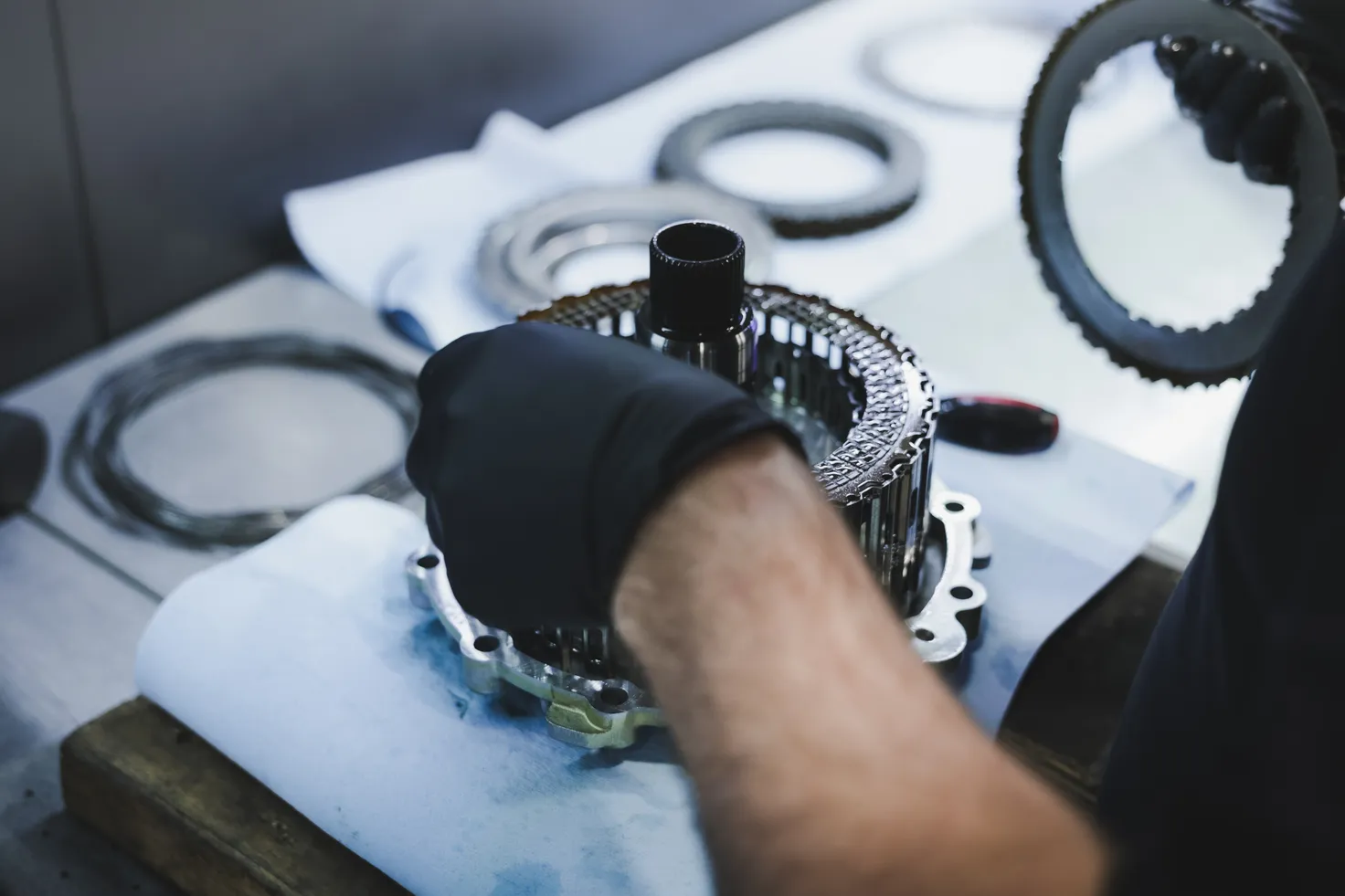
Improving how an automotive shop runs its daily work means keeping track of tasks, cutting down on costly delays, and making sure employees know exactly what to do. These best practices help repair shop owners organize jobs, use technician time in the best possible way, and give customers reliable, consistent service.
"Shops that implement structured workflow management systems report fewer delays, higher technician utilization, and measurably better customer satisfaction outcomes." — Automotive Service Industry Research
Best Practice Area: Task Tracking
Primary Benefit: Reduces missed or delayed jobs
Impact On: Technician accountability
Best Practice Area: Employee Communication
Primary Benefit: Eliminates confusion on assignments
Impact On: Daily operations
Best Practice Area: Technician Scheduling
Primary Benefit: Maximizes billable hours
Impact On: Shop revenue
Best Practice Area: Customer Updates
Primary Benefit: Builds trust and loyalty
Impact On: Retention rates
Best Practice Area: Job Organization
Primary Benefit: Speeds up turnaround time
Impact On: Service efficiency
Best Practice Area: Delay Reduction
Primary Benefit: Cuts idle time between jobs
Impact On: Productivity
Best Practice Area: Workflow Visibility
Primary Benefit: Keeps all staff aligned
Impact On: Team coordination
Best Practice Area: Process Standardization
Primary Benefit: Ensures consistent service quality
Impact On: Reputation management
💡 Tip: Start by auditing your current workflow — identify the single biggest source of daily delays before implementing any new system. Even small inefficiencies compound into significant lost revenue over time.
✅ Best Practice: Repair shop owners who combine clear task assignment, real-time job tracking, and proactive customer communication consistently outperform competitors in both efficiency and customer satisfaction scores.
1. Write the Full Intake Before the Keys Leave the Counter
Record the customer, vehicle, and complaint in one entry before the car enters a bay. Include the name, phone number, vehicle identification number, mileage, the problem in the customer's own words, the promised pickup time, and preferred update method. This prevents advisors from asking the same questions twice, and technicians from guessing which noise the customer meant. A missing mileage reading or vague complaint at this step can lead to an incorrect estimate later, so complete the intake before the keys change hands.
2. Run the Same Inspection on Every Vehicle
The second practice is a set inspection that documents the complaint in written findings, photos, and scan results. The technician checks the stated problem, notes related wear, and attaches pictures of parts needing attention. These notes stay with the job so the advisor builds the estimate from documented evidence rather than memory. Consumer Reports surveyed 10,973 members about 11,670 repairs and found that 85 percent said the original problem was fixed on the first visit. A written inspection makes that first-visit fix the shop standard, because the next person sees the same evidence the technician saw.
3. Send the Estimate the Same Day and Lock the Approval
Build the estimate from the inspection and send it the same day. List repairs the customer requested separately from inspection findings, including labor hours, parts, and reasoning for each line. Record approval on the job before ordering parts or assigning a bay. An unsigned estimate blocks a lift and leaves technicians idle. With median repair prices near $700, delayed approval ties up significant revenue while paying jobs wait.
4. Assign Work by Skill and Open Time
Assign approved work only to technicians with the required skills and availability. The assignment gives the technician the approved list, parts status, and promise time, so they have everything they need to start. Ratchet+Wrench's KPI benchmark shows that the industry average is 2.50 to 3.25 hours per repair order, while the optimal mark is 3.50 or higher. Dispatch protects that number by keeping ready work in front of available technicians and preventing unapproved cars from reaching their hands.
5. Order Parts from the Approved List and Show the Arrival
The fifth practice is to order parts from the signed estimate, with the part number, quantity, and expected arrival tied to the job. The status shows whether the part is on the shelf, on order, or delayed, and the technician sees that status before the car goes on a lift. A late part moves the job to a waiting stage instead of leaving a half-finished vehicle in a bay. The advisor uses the same status to reset the promise time before the customer calls. The 2025 PartsTech report, based on a survey of 752 general auto repair shops, found that shops service 2.2 vehicles per bay per day on average. This count drops when an unordered part blocks a bay while payroll and rent remain fixed.
6. Keep a Live Stage for Every Car on the Floor
The sixth practice is a shared stage list showing where each vehicle stands: checked in, in inspection, waiting on approval, waiting on parts, in repair, in quality check, or ready for pickup. One person owns the move from each stage to the next, and the technician updates the stage when complete. Advisors answer status questions from the list instead of walking the floor. Consumer Reports found that 91 percent of the 11,670 repairs in its survey of 10,973 members finished inside the shop's initial time prediction, and 68 percent finished in a day or less. A live stage list keeps promises within that window—problems surface while there's still time to move the job.
7. Require a Quality Check and a Clean Close-Out
The seventh practice is a required quality check before keys are returned, followed by close-out on the same record. A second person confirms the approved work is complete, the original complaint is resolved, and the car is ready for handover. The invoice matches the signed estimate, the team collects payment, and the customer receives an explanation of the work performed. The same record sets the next service date, eliminating dependence on memory for follow-up. The median repair price in the Consumer Reports survey was nearly $700. Skipping the check converts that ticket into a free second visit and erodes customer confidence. The job closes only after the vehicle leaves and the next date is set, keeping history accurate and freeing the bay for the next car.
8. Use an Auto Shop Management Software
Run all stages in one system instead of splitting across whiteboards, paper tickets, and calendars. Support Lane provides a job board with custom stages, color-coded steps, and drag-and-drop moves, tracking time spent in each stage from check-in through pickup. Staff create appointments on a calendar; customers book online when enabled. New requests remain pending until the shop accepts, rejects, or reschedules them, with automatic 24-hour reminders.
Vehicle records pull details from the VIN, service templates hold common labor and parts, and estimates convert to invoices with PDF downloads. Shops track deposits, payments, and refunds per job, send payment links, and message customers via email or text with replies in a single thread.
How Support Lane Simplifies Automotive Shop Workflow Management

Support Lane closes the gap between a busy shop and a well-run one by pulling job tracking, scheduling, customer records, invoicing, and communication into one connected system, so nothing important has to be rebuilt from memory or chased across separate tools.
"Pulling job tracking, scheduling, invoicing, and communication into one connected system eliminates the costly gaps that separate a busy shop from a truly well-run operation." — Support Lane
Workflow Area: Job Tracking
Without Support Lane: Scattered, manual updates
With Support Lane: Centralized, real-time visibility
Workflow Area: Scheduling
Without Support Lane: Separate tools, easy to miss
With Support Lane: Unified and always accessible
Workflow Area: Customer Records
Without Support Lane: Rebuilt from memory
With Support Lane: Instantly retrievable
Workflow Area: Invoicing
Without Support Lane: Disconnected process
With Support Lane: Seamlessly integrated
Workflow Area: Communication
Without Support Lane: Chased across platforms
With Support Lane: One connected hub
🔑 Takeaway: The real cost of disconnected tools isn't just inconvenience — it's lost time, missed details, and revenue left on the table every single day.
💡 Tip: Shops that consolidate job tracking, scheduling, and invoicing into a single platform eliminate the most common source of workflow breakdowns — information living in too many places at once.
What changes when jobs have a visible home
The failure point in most shops isn't the work itself, but the space between the work and the people who need to know about it. Support Lane's kanban board gives every repair order a physical place in the pipeline, with color-coded stages each location customizes to match its floor. When a technician moves a job to the next column, that action timestamps the transition and updates the record. An advisor handling a status call doesn't need to walk the floor or text a tech; the answer is already on the board, with a name attached to the commitment.
How does customer data stop getting rewritten?
The same problem shows up in single-bay shops and ten-lift garages: staff writes the customer's complaint at intake, then rewrites it on the work order with incorrect mileage. Support Lane maintains one customer record with every vehicle listed underneath it, VIN-decoded details, visit-by-visit mileage logs, and notes that persist across return visits. Shops can import existing customer lists instead of rebuilding them, so the next estimate starts from the same record, not a blank form.
How does automotive shop workflow management keep estimates and invoices in sync?
Most shops keep estimates and invoices in separate documents, creating mismatches when job scope changes during inspection. Shop management software like Support Lane builds the estimate directly from job services, lets staff edit individual lines when inspection scope changes, and converts the approved estimate to a numbered invoice in one step. Taxes are configured per location, including split GST and PST, and apply automatically.
Where does customer communication actually land?
Status updates sent from a personal phone create a record belonging to the person, not the shop. When that advisor leaves the floor, replies about approvals or pickup times go unanswered until someone checks. Support Lane Chat routes messages by email or text directly into the shop's customer record, where the advisor who needs approval reads it in the system. The technician avoids an interrupting call, and message history is already there for the next question.
What does the customer experience before they arrive?
Shops that are hard to find online or difficult to book lose customers before any conversation starts. Support Lane hosts a website for each location with editable hero images, service listings, and team pages. Customers can request appointments directly, with available times calculated from the calendar. Each request stays pending until the shop approves or reschedules it, and a reminder goes out 24 hours before the visit. No-shows from missed reminders disappear: customers arrive with a confirmed slot and a job card ready.
Shop owners are most surprised not by how much the system does, but by how quickly friction disappears once everything connects.
Related Reading
Automotive Customer Loyalty Programs
Appointment Booking Software For Auto Repair
Mechanic Work Order App
Seo For Auto Repair Shops
Best Diagnostic Machine For All Cars
Spare Parts Inventory Management Best Practices
Invoice Software For Mechanic Shop
Mechanic Book Hours
Auto Repair Promotion Ideas
Sign up for Your Free Trial to Manage Your Auto Shop with Ease Today
When everything in your shop connects, chasing job status, fielding update calls, and reconciling mismatched invoices disappear. That friction is a systems problem: systems can be fixed.
"The biggest drain on an auto shop isn't labor or parts — it's the invisible time lost to disconnected tools, missed updates, and manual follow-ups." — Shop Operations Insight
💡 Tip: If your team spends more time tracking work than doing work, your shop needs a connected workflow solution.
Support Lane brings job tracking, scheduling, customer records, estimates, invoices, and communication into one unified platform built for shop owners. Whether you run one bay or ten lifts, the path forward is the same: fewer disconnected tools, clearer job pipelines, and more time on actual repair work. Start your free trial and see how a connected workflow changes your day.
Disconnected Shop
Manual job status tracking
Scattered customer records
Mismatched estimates & invoices
Constant update phone calls
Multiple tools & logins
With Support Lane
Real-time job pipeline visibility
Centralized customer profiles
Seamless estimate-to-invoice flow
Automated customer communication
One connected platform
🎯 Key Point: Support Lane eliminates the operational friction that costs shop owners hours every week — replacing chaos with a single, streamlined system.
✅ Best Practice: Take advantage of the free trial to map your current workflow against Support Lane's platform — most shop owners spot immediate wins within the first day.
Ready to modernize your shop?
Join the independent auto repair shops already using Support Lane to manage their jobs, customers, and invoices in one place.