10 Best Mechanic Work Order Apps for Auto Repair Shops

Running an automotive shop means managing repair orders, technician schedules, and customer updates at once. Without a reliable system, jobs fall through the cracks, follow-ups get missed, and customers wait for answers. Strong automotive shop workflow management separates shops that operate smoothly from those constantly playing catch-up. Knowing what to look for in a mechanic work order app makes that difference concrete.
The right tool gives shop owners and service advisors a clear view of every job status, technician task, and customer communication in one place. No paper stacks, no back-and-forth confusion, and no guessing where a repair stands. From the moment a vehicle arrives to the moment it leaves, track every step and make it visible to the right people. Shops ready to make that shift can start by exploring shop management software.
Table of Contents
What Is a Mechanic Work Order App, and Why Does Your Shop Need One?
How Does a Mechanic Work Order App Improve Daily Shop Operations?
What Features Should You Look for in a Mechanic Work Order App?
10 Best Mechanic Work Order Apps for Auto Repair Shops
How to Choose the Right Mechanic Work Order App for Your Auto Repair Shop
How Support Lane Simplifies Work Order Management for Auto Repair Shops
Sign up for Your Free Trial to Manage Your Auto Shop with Ease Today
Summary
Shops using digital work orders report up to a 30% reduction in administrative time, according to Torque360's 2025 guide to streamlining auto repair shop operations. That recovered time does not disappear. It shifts toward customer interactions, quality checks, and the next vehicle in the queue, areas where attention actually affects revenue and retention.
The auto repair shop management software market is projected to grow at a CAGR of 12.4% from 2026 to 2033, according to an Arc and Angle market analysis published on LinkedIn Pulse. Independent shop owners are not experimenting with digital work order tools out of curiosity. They are adopting them because paper-based systems have a practical ceiling, and many shops have already hit it.
Customer communication preferences have shifted in a direction most shops still aren't meeting. The J.D. Power 2024 U.S. Customer Service Index Study of 64,781 vehicle owners found that 68% preferred text updates compared to just 16% who preferred a phone call. Shops that still rely primarily on phone-based updates are working harder to deliver a result fewer customers actually want.
Parts management is one of the most fragmented areas in shop operations. A 2025 PartsTech survey of 752 shops found that shops work with an average of 5.8 parts suppliers, and half still place some orders by phone. When parts status lives outside the job record, bays stay occupied longer than necessary, and advisors spend time on follow-up that the system should handle automatically.
Technician capacity is consistently underused, not because of effort but because of visibility. A 2025 Ratchet+Wrench Industry Survey found that 87% of shops use an electronic management system daily, yet many still struggle to convert available hours into completed repairs. When an app stores work orders without assigning them to specific technicians or showing individual workloads, coordination consumes the time that should go toward finishing jobs.
Disconnected tools carry a financial cost that rarely appears on a single report. According to a Support Lane LinkedIn post, shops lose 40 minutes per unchecked part confirmation, and fragmented operations leave thousands of dollars a month in unbilled capacity, not because work went undone, but because billing steps were delayed or missed in the handoff between systems.
Shop management software addresses this by connecting the booking, job card, estimate, parts list, and invoice inside one record so information moves forward without anyone re-entering it between steps.
What Is a Mechanic Work Order App, and Why Does Your Shop Need One?

A mechanic work order app is a digital system that captures every detail of a repair job in one place: customer contact information, vehicle history, requested services, parts used, labor hours logged, and job status from intake to invoice. It replaces the scattered combination of paper tickets, phone notes, and memory that most independent shops still rely on. When the whole team works from the same live record, fewer things fall through the cracks on a busy day.
"A single live work order record shared across the entire team is the difference between a shop that runs smoothly and one that constantly fights fires."
Example: A customer calls asking for an update on their vehicle — instead of hunting down a paper ticket or asking three different techs, your team pulls up the live work order in seconds and gives an instant, accurate answer.
Key Point: A mechanic work order app isn't just a digital notepad — it's the central nervous system of your entire shop operation, connecting every role from the front desk to the service bay.
Paper tickets that get lost or damaged → Digital records stored securely in the cloud
Phone notes scattered across staff → One live record accessible by the whole team
Manual status updates prone to error → Real-time job tracking from intake to invoice
Memory-dependent handoffs between techs → Documented history attached to every vehicle
Warning: Shops that continue relying on paper-based systems risk costly miscommunications, missed billable hours, and customer trust issues that are very hard to recover from.
Why does fragmentation cost your shop money every day?
The failure point is usually not effort but fragmentation. A technician writes a note on a paper work order. The service advisor rewrites it on an invoice. The owner tries to match both at week's end. Each transfer risks unbilled parts, lost labor hours, or missing customer details. A digital work order eliminates these handoffs by maintaining one connected record that updates in real time as the job moves from bay to front desk.
Shop management software like Support Lane addresses this directly by converting bookings into job cards, estimates, and paid invoices without re-entering data between steps. That connected flow matters whether you run one lift or ten.
What do shop owners actually value most in a mechanic work order app?
According to an IMR survey of independent repair shops conducted in May 2025, 26.3 percent of respondents named ease of use as the most valued feature of shop management systems, noting that it must work for technicians and managers alike. Another 22.7 percent cited speed and efficiency as the top benefit, highlighting quick loading times and time saved on daily tasks. Part availability and tracking ranked next at 17 percent, showing that shops want systems to help them find and record parts without extra steps.
The Auto Repair Shop Management Software Market Analysis published on LinkedIn Pulse by Arc and Angle projects a CAGR of 12.4% from 2026 to 2033, signaling that independent shop owners are adopting digital work order tools. The traditional model has reached its limits, driving this shift.
How does a mechanic work order app keep every job detail connected?
The value of a mechanic work order app is that every part of the job—the customer, the vehicle, the parts, the labor, the photos, and the invoice—stays connected to one record your entire team can read and update in real time.
Related Reading
Auto Body Shop Marketing
Auto Repair Shop Google My Business Categories
Auto Repair Advertising Slogans
Mechanic Shop Inventory List
Automotive Technician Shortage
Tech Efficiency
Most Profitable Auto Repair Services
How To Increase Business At Auto Body Shop
Automotive Customer Retention Strategies
How Does a Mechanic Work Order App Improve Daily Shop Operations?

A mechanic work order app brings every moving part of the day into one place, eliminating dozens of small frictions: the walk to the bay for a status update, the rewritten customer form, the unclaimed repair that sat untouched until someone finally noticed.
"The biggest hidden cost in any auto repair shop isn't parts or labor — it's the small daily frictions that compound into lost hours, missed repairs, and frustrated customers every single week." — Shop Operations Insight
Tip: A mechanic work order app doesn't just digitize paperwork — it actively eliminates the communication gaps and workflow bottlenecks that quietly drain your shop's productivity every day.
Warning: Without a centralized work order system, even a well-staffed shop risks unclaimed repairs, duplicate data entry, and status update interruptions that pull technicians away from billable work.
Status Updates: Walk to the bay manually → Instant visibility on-screen
Customer Forms: Rewritten by hand, error-prone → Auto-populated, accurate
Unclaimed Repairs: Sit untouched until noticed → Flagged automatically in real time
Communication: Verbal, easy to miss → Logged and trackable
Key Point: Every small friction eliminated by a mechanic work order app — from the status check walk to the lost repair order — translates directly into more time wrenching and more revenue per day.
What actually slows a shop down each day
The failure point is usually not skill or effort, but the gap between what one person knows and what everyone else can see. A service advisor who must physically find a technician to answer a customer's phone call works around a system never designed for real-time information sharing. A work order app closes that gap by keeping job status, technician notes, customer concerns, and parts updates in one accessible record.
Why does scattered information cost more as the day fills up?
Most shops handle this with paper tickets, whiteboards, and verbal check-ins because those tools are familiar and require no setup. The hidden cost emerges as the day fills up. When four vehicles arrive before noon, and two technicians are mid-job, the whiteboard no longer reflects what is happening and paper tickets contradict each other. Shop management software like Support Lane connects the appointment, job card, estimate, and invoice in one record, so information stays accurate without traveling between systems. A solo mechanic and a ten-lift garage both benefit from that connection, since scattered information is a problem regardless of bay count.
Why customer communication is the part most shops underestimate
The repair itself is only half the job. According to the J.D. Power 2024 U.S. Customer Service Index Study of 64,781 vehicle owners, customers were four times more likely to want service updates by text than by phone call, with 68 percent preferring text versus 16 percent preferring a call. A shop relying on phone updates works harder to deliver a result fewer customers want. When the job record and customer notification live in the same system—as they do in Support Lane's shop management software—sending that text takes seconds and requires no one to leave the desk or interrupt a technician.
How the record becomes the most reliable person in the shop
When a vehicle returns six months later with a related problem, the original technician may no longer be there. A digital work order stores complete service history attached to the vehicle, not a filing cabinet. This reduces diagnostic time, enables better customer conversations, and tracks who updated the job and when—so managers don't have to collect multiple versions of events when a repair runs long. According to an IMR survey of independent repair shops conducted in May 2025, 26.3 percent of respondents named ease of use as the most valued feature of shop management systems.
The sharper question is which specific features deliver those improvements.
What Features Should You Look for in a Mechanic Work Order App?

Real-time job status tracking, technician assignment visibility, parts order integration, and streamlined customer approvals are the four capabilities that address where independent shops consistently lose time and money.
"The shops that close the gap between lost time and profitability are the ones investing in tools that unify job tracking, technician visibility, and customer approvals into a single workflow." — Industry Best Practice Insight
Real-Time Job Status Tracking: Eliminates guesswork and keeps every job visible at a glance
Technician Assignment Visibility: Ensures the right tech is on the right job at all times
Parts Order Integration: Reduces costly delays by syncing orders directly to the work order
Streamlined Customer Approvals: Speeds up authorization time and keeps customers informed
Tip: When evaluating a mechanic work order app, prioritize platforms that offer all four features in one place — fragmented tools create the exact inefficiencies you're trying to eliminate.
Warning: Missing even one of these capabilities — especially real-time job tracking or customer approval workflows — can result in significant revenue leakage and frustrated clients for independent shops.
Real-Time Status Tracking That Shows Where Every Job Stands
A basic digital form still requires someone to walk to the bay or call a technician when a customer asks for an update. The app must display every open job by stage—waiting for approval, in progress, waiting for parts, or ready for pickup—so the service advisor sees the current state without leaving the counter. A 2024 survey by the Auto Care Association of 407 independent repair shops found that 63 percent have difficulty completing routine repairs daily or weekly, and 51 percent send up to five vehicles per month to a dealer because of data or tool restrictions. Without clear stage visibility, restricted jobs stay hidden longer, tying up bays while the team guesses at status.
Technician Assignment and Workload Visibility
The failure point is usually ownership, not effort. When an app stores a work order without assigning it to a named technician, two people assume the other owns the job and the vehicle sits untouched. The manager needs to see who has three active repairs and who has finished their work, then move the next job to the person with capacity. A 2025 Ratchet+Wrench Industry Survey found that 87 percent of shops use an electronic management system daily, yet shops still struggle to convert available hours into completed repairs. Without visibility into individual workloads, technicians spend time coordinating instead of repairing.
How does a mechanic work order app keep parts status and approvals in one place?
A work order that lists a part without confirming whether it is in stock, on order, or delayed leaves the vehicle occupying a bay without being worked on. The app needs to show part status directly in the job card so the service advisor can see the technician's note and follow up with the supplier without a separate search. A 2025 PartsTech survey of 752 shops found that shops work with an average of 5.8 parts suppliers, and half still place some orders by phone. That fragmentation across suppliers and paper notes is where a connected job record saves the most time.
Why do disconnected systems make customer approvals harder to manage?
Most shops handle customer approvals through phone calls and verbal confirmations. When inspection notes, photos, and estimates live in a separate system from the work order, the advisor must reconstruct the story for every follow-up question. The Auto Care Association estimated that vehicle data limitations cost independent shops $3.1 billion annually, with 84 percent of respondents ranking data access as their top business issue. When the work order contains complete, shareable findings, the shop can send customers the evidence needed to approve work without the advisor leaving the desk or the technician repeating themselves.
How does a single connected record reduce re-keying and version confusion?
Platforms like shop management software connect the work order to the estimate, approval, and invoice within a single record, so customers see the same information the technician entered without re-keying or version confusion. Our shop management software eliminates these friction points whether you run one bay or ten lifts, since fragmented tools scale in cost with volume.
Why does interface speed determine whether a mechanic work order app actually gets used?
An app that nobody updates is an expensive clipboard. Technicians need to open a job, add a note or photo, and change the stage from a tablet in seconds. Advisors need to see that change immediately. When the interface slows the update by even a few clicks, people revert to the old method and the digital record falls behind reality.
How does a mechanic work order app turn job history into long-term customer relationships?
A returning customer with a new concern needs past repair details available in seconds, not buried across filing systems or dependent on memory. Our shop management software must store every completed work order with services performed, parts used, and technician notes, searchable by customer name or vehicle. The advisor sees which recommendations were previously declined and what mileage was recorded at the last visit. Without that history, even a digitally equipped shop loses the context that builds long-term customer relationships.
Related Reading
How To Streamline Auto Repair Shop Operations?
Ai Marketing For Auto Repair
Key Metrics For Auto Repair Shop Performance
Auto Repair Shop Payment Processing
Auto Repair Shop Workflow Automation
What Percentage Of Labor Rate Should Technician Get
How To Recruit Automotive Technicians
Auto Repair Lead Generation
Automotive Text Message Marketing
Auto Repair Shop Tax Deductions
10 Best Mechanic Work Order Apps for Auto Repair Shops
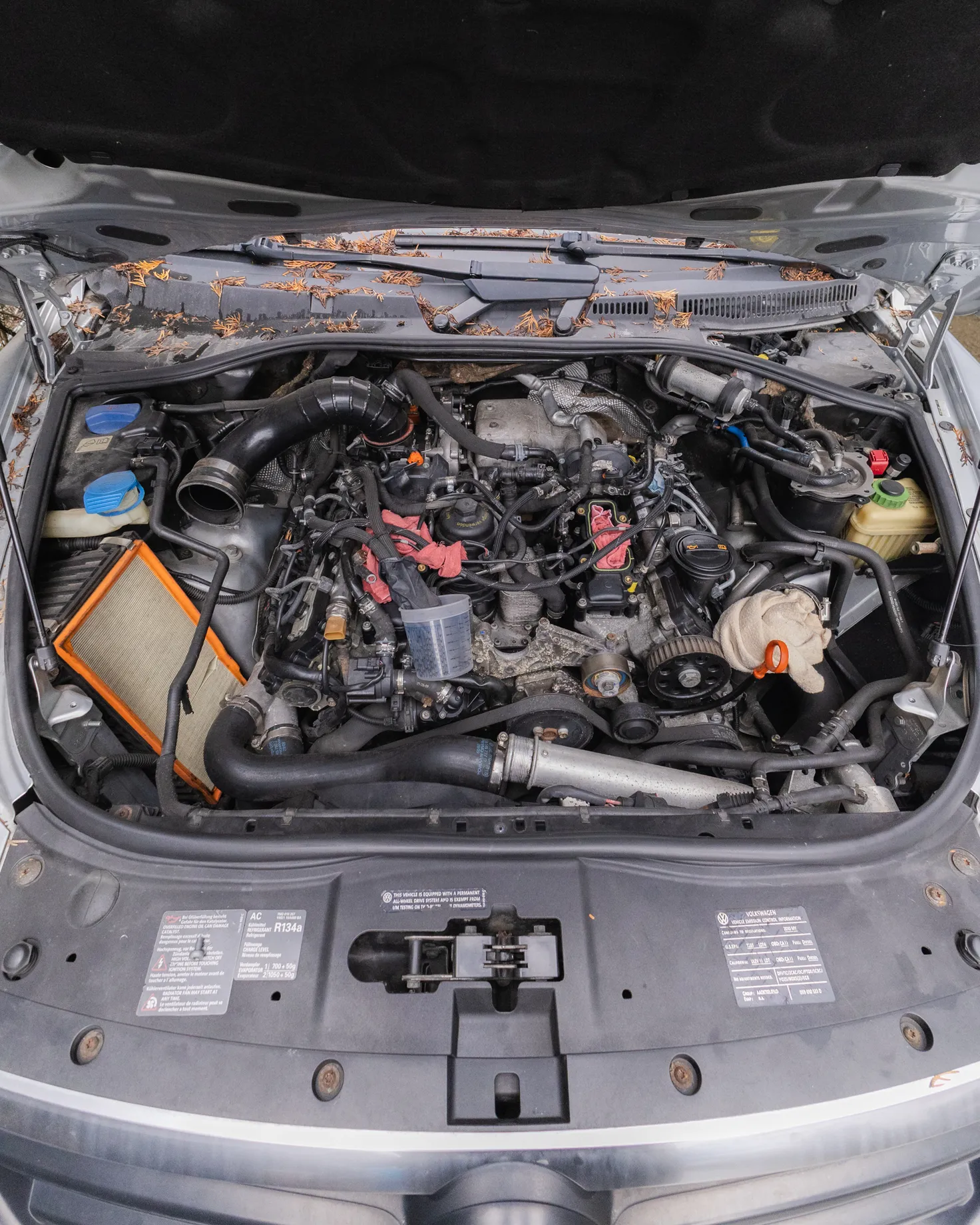
The right mechanic work order app keeps repair jobs organized, assigns technicians effectively, and eliminates time-consuming paperwork. Beyond digital work orders, it should track repairs, manage customer and vehicle information, monitor employee responsibilities, and streamline daily operations — turning a chaotic shop floor into a well-oiled machine.
Tip: The best apps don't just digitize paperwork — they centralize your entire workflow, from the first customer call to the final invoice.
"The right tool doesn't just organize work orders — it transforms how your entire shop operates, saving time, reducing errors, and keeping every technician accountable." — Industry Best Practice
Warning: Choosing an app based on price alone is one of the most common mistakes shop owners make. Prioritize features that match your workflow over a low monthly fee.
Digital Work Orders: Eliminates paperwork and reduces errors
Technician Assignment: Keeps jobs organized and accountability clear
Repair Tracking: Provides real-time status on every vehicle
Customer & Vehicle Info: Centralizes history for faster service
Daily Operations Management: Streamlines scheduling and workflow
Below are 10 mechanic work order apps for auto repair shops, evaluated on work order management, key features, advantages, limitations, and accessibility so you can make the smartest choice for your shop.
Key Point: Each app was evaluated across four critical dimensions: work order management, features, pros/cons, and accessibility, giving you a complete picture before you commit.
Best Practice: Before selecting an app, identify your shop's top 3 pain points (e.g., technician accountability, invoice delays, or customer communication) and match them to the tool that solves them best.
1. Support Lane
Support Lane places every repair job on a visual Kanban board so shop owners and advisors see the current stage of each vehicle, who is assigned to it, and the full details without searching paper tickets or asking technicians. Moving a card between customizable color-coded stages can mark the job as started, completed, or canceled, while the same record holds customer notes, vehicle mileage history, service templates, and the invoice. Online booking requests land as pending appointments that staff approve or reject, and customers receive a reminder 24 hours ahead. This setup solves the daily scramble of unclear assignments, lost notes, and delayed customer updates by keeping the job, the history, and the next action visible in one place.
Features
Kanban board view of jobs with drag-and-drop movement between stages
Customizable pipelines with color-coded steps and step-level actions that mark jobs started, completed, or cancelled
Multiple pipelines per location and filtering the board by assigned owner
Auto-generated incremental work order numbers, job notes, time tracking per stage, and archive/restore options
Calendar view for appointments with manual creation by clicking a date and time
Online booking from the customer-facing website with auto-calculated availability and staff approval required
Customer records with notes, formatted phone numbers, and linked vehicles
Vehicle records with VIN decode autofill, notes, and mileage logs over time
Service templates that include labor, parts, sublets, and fees, with the option to mark them bookable online
Parts catalog of name, SKU, and price that auto-updates when items are added to jobs or templates
Invoicing that builds from job services, allows line-item edits, converts estimates to invoices, voids invoices, and downloads PDFs
Taxes configured per location (including multi-decimal and separate GST/PST rates) plus manual or online payment tracking with receipts
Best For
Independent auto repair shops that want a single visual board for job stages, technician assignments, customer records, and invoicing without switching between paper and separate tools.
Pros
Visual board shows every active job’s stage and assigned owner at a glance
Custom pipelines match how the shop already moves work from intake to completion
Online booking requests require staff approval and send a 24-hour customer reminder
Service templates and parts catalog reduce re-entering the same labor and parts details
Invoices generate from the services already on the job and convert directly from estimates
Chat lets the shop message customers by email or SMS, with all replies collected in one place
Global search finds jobs, customers, vehicles, and invoices from one modal
Cons
Migration from other systems carries a fee
Accessibility
Web-based platform with a customer-facing website hosted on a Support Lane subdomain or the shop’s own domain; first-year access includes the listed features.
2. Shopmonkey
Shopmonkey centralizes repair orders on a customizable workflow board so managers see which jobs sit in estimates, waiting for approval, in progress, or ready for pickup. Technicians update the same order in a mobile app, add inspection photos and notes, and mark stages complete while the service advisor texts or emails the customer with the findings. The system keeps the assignment, parts status, and customer messages linked to the work order so the team avoids the repeated searches and verbal hand-offs that delay vehicles. Shop owners use the board and message center to prioritize jobs and answer customer calls from the desk instead of interrupting technicians.
Features
Customizable workflow board for job stages
Digital vehicle inspections with photos, video, and notes on the mobile app
Two-way SMS and email messaging from the order
Online scheduling with automatic reminders
Parts ordering connections to suppliers
Technician mobile app for assigned orders and updates
Reporting on throughput and technician activity
Pros
Two-way texting included on entry plans for faster customer updates
Mobile inspections let technicians document findings without paper
Workflow board gives a clear view of open jobs by stage
Cons
Some advanced reporting and multi-shop tools sit on higher plans
Migration from other systems carries a fee
Accessibility
Cloud platform with web and mobile apps; plans start around 215–239 per month depending on billing, with options for additional users and locations.
3. Tekmetric
Tekmetric places every repair order on a job board that groups work into estimates, work-in-progress, and completed so the advisor sees status and technician load without leaving the counter. The system includes a tech board that shows assigned hours and remaining work for each technician, helping managers assign the next job to the person with capacity. Service advisors build estimates with smart jobs that pull labor and parts for the vehicle, then send approvals and updates from the same record. This structure reduces the time spent hunting for status or rewriting details while giving a documented trail of who handled each step.
Features
Job board with stages for estimates, in progress, and completed
Tech board showing assigned and remaining hours by technician
Digital vehicle inspections with photos attached to the order
Smart jobs that auto-populate labor and parts for the vehicle
Mobile app for technicians to view assigned work and update status
Inventory tracking linked to the repair order
Real-time dashboard for open jobs and posted work
Pros
Unlimited users on published plans without per-user charges
Tech board makes workload visible for better assignments
Smart jobs speed estimate building for common repairs
Cons
Two-way texting and some payment tools available on higher tiers
Learning curve for full customization of labels and statuses
Accessibility
Cloud-based with web and mobile apps; plans start at $199 per month with unlimited users.
4. AutoLeap
AutoLeap keeps the work order, inspection findings, customer messages, and invoice in one place, so the team updates one record instead of separate forms. Technicians complete digital inspections with photos that appear on the estimate the customer receives by text or email for approval. Managers assign jobs and track progress while the system stores the full vehicle history for return visits. The platform focuses on moving approved work through the shop and reducing back-and-forth that leaves instructions incomplete or customers waiting for status updates.
Features
Digital vehicle inspections with photos and recommended services
Estimates sent by text or email with online approval
Inventory and parts ordering connections
Customer communication tools including review requests
Service history stored with the vehicle
Invoicing and payment tracking from the order
Pros
Inspections and approvals stay on the same work order
Tools for requesting reviews and following up on declined work
Built for independent shops with straightforward workflows
Cons
Some marketing and advanced features on higher plans
Setup fee may apply depending on the package
Accessibility
Cloud platform; plans start around $199 per month.
5. Shop-Ware
Shop-Ware uses a production board that carries an approved estimate into the work order and tracks the job through completion so the team sees the current stage and assigned technician in one view. The system supports digital inspections, parts handling, and throughput reporting so managers can identify jobs that stay too long in one stage. Customer details, notes, and history remain attached to the order, giving the advisor a reliable source when answering questions or reviewing prior work. This approach helps shops replace scattered paper with a continuous record that supports daily prioritization and accountability.
Features
Production board workflow from estimate to completion
Digital inspections with documentation
Technician assignment and status tracking
Parts management linked to jobs
Reporting on job throughput and utilization
Customer and vehicle history on the order
Scheduling and invoicing connected to the work order
Pros
Board maintains continuity from approval through finished work
Reporting helps spot delays in stages
Unlimited users on packages
Cons
Higher starting price than some entry options
May require more setup for custom workflows
Accessibility
Cloud-based; pricing typically starts higher than other platforms' basic plans, with published options across packages.
6. Mitchell 1 Manager SE
Mitchell 1 Manager SE organizes repair orders so inspection findings flow into job groups that the service advisor prices and sends for approval without re-entering details. Technicians complete digital inspections on a phone or tablet with photos and notes that sync to the shop view; customers then receive a report by text or email and approve or decline items from a secure link. The system keeps assignments, prior history, and deferred work attached to the order so the team sees what was requested and what remains open. This reduces missed instructions and status searches by linking the inspection, estimate, and work record in one flow.
Features
Digital multi-point inspections with photos, video, and notes on mobile devices
Inspection findings that convert into organized job containers for estimating
Job View for grouping labor and parts with profitability tracking
Vehicle history and VIN decoding available on the order
Text or email delivery of inspection reports with remote approval options
Deferred work saved for later follow-up
Scheduling and inventory tools connected to the repair order
Pros
Inspection data moves into the estimate without duplicate entry
Customers review findings and approve from their phone
Strong repair information tools available in the same ecosystem
Cons
Some inspection and messaging tools are optional add-ons
Pricing often structured as a lease with extra user or feature costs
Accessibility
Hybrid cloud and installed options; plans typically start higher with bundled repair data, and demos are available.
7. AutoFluent
AutoFluent tracks open repair orders on a dashboard so the team sees sales status, customer details, and vehicle history without separate searches. The system includes scheduling for technicians and bays, inventory tracking with barcode options, and integrations for parts and tire ordering. Service advisors build estimates with labor guides and store recommended services with the vehicle so prior findings return on the next visit. This setup helps shops cut repeated data entry and keep a running record of what each customer approved or declined.
Features
Dashboard view of open repair orders and sales status
Integrated scheduler for technicians, bays, and departments
Inventory management with barcode scanning and multi-location support
VIN and license plate lookup with CARFAX history options
Labor guides and parts ordering connections
Paperless invoicing with signature capture
Customer and vehicle service history stored with the record
Pros
Multi-location inventory and shared records for growing shops
Direct parts and tire supplier connections reduce separate lookups
Accounting exports available for QuickBooks or similar tools
Cons
Interface described as less modern by some users
Full mobile experience varies by setup
Accessibility
Cloud or self-hosted options; pricing available on request with demos.
8. Torque360
Torque360 moves a job from appointment to inspection to estimate to repair order on a job board that shows stages and technician assignments in real time. Technicians document findings with photos and notes in digital inspections, then the service advisor texts the estimate for approval and converts it to an active order. The system stores the full history for each customer and vehicle and supports post-visit reminders. Shop owners use the board and tracking to spot jobs that remain in one stage too long and to assign work based on current load.
Features
Job board with stages from new order to ready for pickup
Digital vehicle inspections with photos, videos, and structured findings
Estimates sent by text or email with digital approvals
Technician assignment and labor tracking on the order
Inventory and parts pricing tools
Automated service reminders from customer and vehicle data
Invoicing and payment options linked to the completed order
Pros
Single flow from booking through payment reduces hand-offs
Job board gives live status for prioritization
Reminder tools help bring customers back without separate lists
Cons
Some advanced campaigns on higher plans
Newer platform with fewer long-established references
Accessibility
Cloud platform with web and mobile access; plans start near 90–100 per month depending on billing.
9. R.O. Writer
R.O. Writer handles work orders for general repair and tire shops with tools for estimates, technician assignment, and inventory that stay tied to the customer record. The system supports digital inspections and parts catalog connections so advisors pull information without leaving the order. Managers track progress and generate invoices from the completed work while maintaining vehicle history for return visits. This helps shops avoid lost paperwork and unclear assignments by keeping the active job and prior service details in one place.
Features
Work order creation and tracking with status updates
Digital inspection options with documentation
Technician assignment and labor tracking
Parts and tire inventory management
Customer and vehicle history on the record
Estimating tools with labor and parts lookups
Invoicing and reporting from completed jobs
Pros
Strong for shops that combine general repair and tire sales
Inventory tools reduce separate parts tracking
History remains attached for future visits
Cons
Interface can feel dated compared with newer cloud options
Some modern communication tools require add-ons
Accessibility
Available as installed or hybrid systems; pricing typically quoted, with support for multi-user shops.
10. Fullbay
Fullbay focuses on work orders for commercial and heavy-duty repair but also serves mixed shops that need clear job stages and technician tracking. The platform shows active jobs by status so managers assign work and follow delays, while technicians update notes and parts used from the order. Customer communication and invoicing stay linked so updates and bills come from the same record. Shops use it to replace scattered tickets with a documented flow that shows who owns each task and what stage the vehicle has reached.
Features
Work order board with status stages
Technician assignment and time tracking
Parts inventory and ordering tools
Customer notes and vehicle history
Digital documentation options
Invoicing from completed work
Reporting on open jobs and technician activity
Pros
Clear status view for jobs that involve multiple technicians or parts
Strong inventory tools for shops that stock more components
Mobile updates keep the record current
Cons
Primarily oriented toward commercial and truck repair
May include more features than a small light-duty shop needs
Accessibility
Cloud-based platform; pricing available by quote with demos for qualified shops.
How to Choose the Right Mechanic Work Order App for Your Auto Repair Shop

Choosing a mechanic work order app means finding a system that truly fits your repair workflow, keeps technicians organized, simplifies customer communication, and gives you better operational control—not just buying software with the longest feature list.
"The right work order app isn't the one with the most features—it's the one your technicians will actually use every day." — Industry Best Practice
Tip: Before evaluating any app, map out your current repair workflow step by step. The best software should match how your shop already operates—then make it faster and smarter.
Warning: Don't fall into the feature-list trap. Shops that choose apps based on the number of features rather than workflow fit often see low technician adoption and wasted investment.
Repair Workflow Fit: Ensures technicians adopt the tool quickly
Technician Organization: Reduces errors and missed jobs
Customer Communication: Builds trust and reduces phone tag
Operational Control: Gives owners real-time visibility into shop performance
Key Point: The goal of a mechanic work order app is operational control and efficiency—not feature volume. Choose the tool that solves your shop's specific pain points first.
Match the App to How Jobs Move Through Your Shop
Shop owners should map the real path a vehicle takes from check-in to pickup through stages such as intake, waiting on approval, in progress, waiting on parts, and ready for pickup. An app that forces a fixed set of stages creates extra steps and leaves advisors searching for status. The right shop management software lets the shop set its own stages and move jobs between them, so the board matches the floor, eliminates daily walks to the bay, and keeps the same record visible to everyone.
Require One Record for Notes, Assignment, and Status
When assignment details are scattered across paper tickets, whiteboards, and text messages, instructions get missed, and confusion spreads. A good work order app consolidates the customer's concern, technician notes, job assignment, and current stage in one place. Advisors and technicians access the same record, eliminating repetitive questions. This also creates a clear record if a job takes longer than expected.
Demand Direct Estimate-to-Invoice Flow Without Re-Entry
Advisors waste time retyping labor and parts lines when estimates and invoices live in separate tools. The app should convert estimates into invoices with one action, keeping line items editable while tracking labor, parts, sublets, and fees separately. This eliminates copy-paste errors that create billing disputes and shortens the time between job completion and customer billing.
Check How Customer Updates and Approvals Travel With the Job
Customers call for status updates because the shop lacks a simple way to send them. The app needs a built-in messaging system to contact customers by text or email directly from the job record, keeping replies attached to the same vehicle. Appointment reminders and approval requests should also originate from that record. When messages and jobs stay linked, the front desk can answer status questions from the screen instead of interrupting a technician.
Verify Parts and Service Templates Reduce Repeat Entry
Shops that retype the same brake job or oil change details on every ticket waste hours each week. Service templates storing labor, parts, sublets, and fees let advisors select a template and fill in lines instantly. A parts catalog stores names, SKUs, and prices, updating automatically when items are added to jobs and eliminating re-entry. These tools reduce the admin work that keeps owners at the desk after hours.
Confirm Scheduling and Online Booking Protect the Calendar
Double bookings and last-minute gaps occur when appointments are kept on paper or separate calendars. The app should display a calendar, let staff create appointments by clicking a date and time, and accept online booking requests that require approval. Availability should be calculated from existing appointments so customers see only open slots. A reminder sent the day before reduces no-shows.
Test Total Cost, Training Time, and Data Migration
Monthly prices look low until add-ons for texting, payments, or extra users appear. Ask for the full monthly cost, including the features your shop uses daily. During the demo, ask for a walkthrough of one real job from start to paid invoice. Check how existing customer and vehicle lists migrate to the new system and how long your team needs to learn it. Shops that skip these checks often end up with a second system requiring paper backups.
How Support Lane Simplifies Work Order Management for Auto Repair Shops
The failure point is usually not the software itself. It's what happens when a shop runs one app for scheduling, a second for invoicing, a third for parts lookup, and a paper ticket for everything else. Each tool works on its own, but when a job moves from one stage to the next, someone has to manually carry the information forward. That re-entry is where critical details get dropped — and where a customer's concern about a grinding noise never makes it to the technician.
"The moment a job moves from one stage to the next, someone has to manually carry the information forward — and that re-entry is where details get dropped."
Tip: If your shop is juggling 3 or more disconnected tools, you're not running a workflow — you're running a relay race where the baton gets dropped between every hand-off.
Scheduling App (Booking & appointments): Doesn't pass job notes to the next stage
Invoicing Software (Billing & payments): Misses technician findings from the floor
Parts Lookup Tool (Inventory & ordering): Isolated from the active work order
Paper Ticket (Everything else): Lost, illegible, or simply forgotten
Warning: Every manual re-entry point between tools is a guaranteed opportunity for miscommunication — and a customer's reported concern, like a grinding noise, is exactly the kind of detail that disappears in the gap.
Takeaway: The real problem isn't any single tool — it's the absence of a connected system that moves information automatically from scheduling through to the technician, without anyone having to carry it by hand.
Why do disconnected tools keep breaking shop operations?
The same pattern shows up in one-bay shops and ten-lift garages: tools multiply faster than the problems they solve. A shop adopts a digital scheduler to reduce no-shows, then adds a separate invoicing app, then keeps paper tickets because neither handles technician notes well. According to a Support Lane LinkedIn post, shops lose 40 minutes per unchecked part confirmation—a cost that worsens when parts lookup lives in a different system from work orders. The friction builds quietly over time, surfacing at month's end when numbers don't add up.
Most shops handle fragmentation by adding workarounds: shared text threads, sticky notes, whiteboards in the bay. These patches create a second workflow running alongside the official one. When they disagree, someone makes a judgment call with incomplete information. That is a systems problem, not a people problem.
How does a mechanic work order app unify the record from booking to invoice?
Shop management software like Support Lane treats the work order as a living record. A booking becomes a job card containing the customer concern, assigned technician, parts list, and service history. When you convert it to an estimate and then an invoice, you don't have to retype anything. The platform ensures the record progresses seamlessly, with every team member viewing the same version at each stage.
What unified workflow actually costs to ignore
According to the Support Lane LinkedIn post, fragmented shop operations result in thousands of dollars monthly in unbilled work because the billing step is delayed, duplicated, or forgotten between disconnected tools. For a solo mechanic, that means one missed invoice per week. For a six-bay shop, this compounds into meaningful revenue loss that never appears on any single report.
How does a mechanic work order app close the billing gap?
Shops that close this gap aren't necessarily the ones with the most advanced software. They are the ones where a single record follows the job from customer call to departure. When the estimate, repair notes, parts confirmation, and invoice live on the same job card, billing becomes the natural end of an already-in-motion process, not a separate task.
The question is not whether your current setup has gaps—it almost certainly does. The question is how much longer those gaps remain invisible before they demand attention.
Sign up for Your Free Trial to Manage Your Auto Shop with Ease Today
Those gaps don't close on their own. The longer a shop runs on disconnected tools, the more invisible the cost becomes until a missed invoice or lost job card makes it impossible to ignore. If you're switching between multiple apps, re-entering data, or guessing which repair is holding up the bay, that friction signals your current setup is working against you.
"The longer a shop runs on disconnected tools, the more invisible the cost becomes until a missed invoice or lost job card makes it impossible to ignore."
Tip: Don't wait for a costly mistake — a missed invoice or lost job card — to reveal the hidden price of manual, fragmented workflows. The friction you feel every day is already costing you.
Warning: Re-entering data across multiple systems isn't tedious — it's a direct source of billing errors, scheduling gaps, and lost revenue that compounds silently over time.
Shop management software like Support Lane connects the full repair cycle in one place — from online booking and job tracking to parts management, invoicing, and customer communication — without the manual handoffs that slow independent shops down. Visit Support Lane to explore the platform and see how it fits your operation.
Best Practice: Choose a platform that covers every stage of the repair cycle so your team spends time fixing cars, not chasing paperwork.
Booking: Phone calls, manual scheduling → Seamless online booking
Job Tracking: Spreadsheets or guesswork → Real-time job visibility
Parts Management: Separate tools, re-entered data → Integrated parts tracking
Invoicing: Manual, error-prone → Automated, accurate billing
Customer Communication: Ad hoc, inconsistent → Centralized, professional
Key Point: Support Lane eliminates the fragmented workflows holding your shop back — bringing every part of your operation into one connected platform so nothing falls through the cracks.
Related Reading
Auto Repair Promotion Ideas
Spare Parts Inventory Management Best Practices
Automotive Customer Loyalty Programs
Invoice Software For Mechanic Shop
Seo For Auto Repair Shops
Mechanic Book Hours
Best Diagnostic Machine For All Cars
Appointment Booking Software For Auto Repair
Ready to modernize your shop?
Join the independent auto repair shops already using Support Lane to manage their jobs, customers, and invoices in one place.