10 Auto Repair Shop Scheduling Tips to Boost Efficiency

Missed appointments, double bookings, and idle bays cost auto repair shops real money every day. As owners look for the best AI tools for auto repair shops to sharpen operations, scheduling stands out as one of the fastest areas to see measurable results. Smarter scheduling means fewer calendar gaps, fewer no-shows, and better use of every technician's time.
Achieving that level of control starts with having the right system behind your workflow. A clear view of the appointment calendar, automatic conflict detection, and customer reminders can eliminate most of the friction that slows shops down. For independent shops and multi-bay operations alike, Support Lane shop management software puts those tools in one place so you can focus on the work, not the logistics.
Table of Contents
What Is Auto Repair Shop Scheduling and How Does It Work?
Why Is Efficient Scheduling Important for Auto Repair Shops?
Should Every Auto Repair Job Follow the Same Scheduling Process?
10 Auto Repair Shop Scheduling Tips to Boost Efficiency
How to Choose the Right Scheduling Software for Your Auto Repair Shop
How Support Lane Simplifies Auto Repair Shop Scheduling
Sign up for Your Free Trial to Manage Your Auto Shop with Ease Today
Summary
Scheduling gaps in auto repair shops carry a direct and measurable financial cost. Industry data shows that each consistently underused bay can cost a shop between $20,000 and $25,000 per month in lost revenue, while a bay running at full capacity can generate $1,000 or more per day. Fixed costs like rent, utilities, and payroll continue regardless of bay output, which means idle time is never neutral.
Technician idle time is not a recoverable loss. Research cited by Breakroom Blog found that inefficient scheduling can leave technicians idle for up to 20% of their working hours, and that represents fully paid skilled labor that produced nothing. Those gaps compound across a full week and a full team, quietly eroding the shop's output without showing up on any single line item.
The labor shortage in auto repair makes scheduling quality a retention issue, not just an efficiency one. The industry needs roughly 76,000 new technicians annually but graduates only 37,000 to 39,000. A WrenchWay survey found that just 21% of technicians would recommend the profession to a friend, and poor scheduling, including chaotic days, mismatched job assignments, and routine overtime, accelerates that dissatisfaction directly.
Not all repair jobs should move through the same scheduling process. Routine maintenance follows predictable labor times, while diagnostic work carries real uncertainty that can resolve in 30 minutes or stretch across two days. Shops that separate these job types into differentiated workflows, with a short inspection appointment to define scope before booking the full repair, can see up to a 30% increase in bay utilization according to Breakroom Blog's analysis.
Customer retention is directly tied to scheduling quality. The Cox Automotive Retail Dealership Fixed Ops Ownership Study found that 67% of vehicle owners who stop returning to a service location cite a negative service experience as the reason, and specific friction points like missed reminders, unclear status updates, and difficult appointment booking consistently drive that dissatisfaction.
Connected scheduling workflows reduce the administrative gaps that cause those friction points. When a booking, job record, technician assignment, and customer communication all live in the same system, a change in one place reflects everywhere without a separate phone call or manual re-entry.
Shop management software does this by linking the appointment, live job status, and customer record into one workflow, so the team reacts to what is actually happening rather than an outdated version of the schedule.
What Is Auto Repair Shop Scheduling and How Does It Work?

Scheduling is the operating system of a repair shop. It turns incoming demand, available labor hours, technician skill sets, and physical bay capacity into a precise sequence of work completed on time and at a profit.
"Scheduling transforms raw shop capacity — labor hours, technician skills, and bay availability — into a structured engine that drives on-time delivery and profitable outcomes." — Industry Operations Insight
Effective shop scheduling depends on matching incoming work with the team's available time, skills, and physical capacity:
Incoming demand – Determines the volume and type of repair jobs entering the shop, helping establish the workload that needs to be scheduled.
Available labour hours – Controls how much work the team can realistically absorb without creating excessive delays or overtime.
Technician skill sets – Determines which jobs should be assigned to which technicians, matching repair requirements with the right expertise.
Physical bay capacity – Defines how many vehicles can be worked on simultaneously, helping prevent bottlenecks and overbooking.
Tip: Think of your scheduling system as the brain of your shop — without it, even the most skilled technicians and best equipment can't operate at peak efficiency.
Takeaway: Effective scheduling isn't just about filling time slots — it's about aligning every resource in your shop to maximize throughput, customer satisfaction, and bottom-line profit.
How does auto repair shop scheduling match jobs to the right technician?
A service advisor or shop manager reviews confirmed appointments and available hours, assigning each job to a technician whose certifications and speed match the work, then places it in a bay with the right equipment. Brake jobs go to the tech who handles them efficiently. Check-engine diagnostics go to whoever has scan-tool experience. Quick-service items like oil changes rotate through the fastest-turning bays. Careful matching optimizes the day's workflow.
Why does Auto Repair Shop Scheduling break down mid-day?
The failure point is almost always the gap between estimated and actual job time. One underestimated repair pushes every appointment behind it. Customers promised a 3 p.m. pickup call at 2:45 p.m., and the service advisor manages frustration instead of the next intake. Shops that pull from their own historical job times rather than relying on generic labor guides alone close that gap and protect the rest of the day.
When does a whiteboard stop being enough for Auto Repair Shop Scheduling?
Most shops handle this with a whiteboard or shared spreadsheet, which works for single-bay operations. But as bay count grows and technician specializations multiply, those tools fail to reflect what's happening in real time. A change in one job ripples through the whole day with no automatic update, flag, or customer notification. According to the 2025 PartsTech survey of 752 U.S. general auto repair shops, the average shop operates six bays and services 2.2 vehicles per bay each day. Shop management software like Support Lane connects the appointment directly to the job record, so when a booking changes, the downstream workflow updates automatically rather than waiting for manual correction.
How capacity planning shapes the whole week
The stakes of scheduling extend well beyond filling bays.
How does Auto Repair Shop Scheduling prevent lost revenue across the week?
A technician idle for 40 minutes between jobs represents significant lost revenue across a five-day week in a six-bay shop. Good capacity planning reserves time for walk-ins and emergencies based on historical demand patterns, allowing same-day requests without compromising delivery times for booked customers.
How does a clean scheduling process turn each appointment into a controlled outcome?
Automated reminders reduce no-shows. Status updates during repair significantly cut inbound "is my car ready" calls. When a customer reschedules, a clean process returns that slot to open inventory immediately rather than leaving it as a ghost appointment that blocks a paying job. Scheduling is not a calendar: it is the first decision in a chain that either creates a predictable, profitable day or a reactive one.
Why Is Efficient Scheduling Important for Auto Repair Shops?

Good scheduling is the difference between a shop that grows and one that struggles. When customer demand, technician availability, bay capacity, and repair time estimates line up, the shop moves forward with momentum. When they don't, every gap and overlap costs real money, goodwill, and people.
"When customer demand, technician availability, bay capacity, and repair time estimates align, the shop moves forward with momentum — when they don't, every gap costs real money, goodwill, and people."
Key Point: Efficient scheduling isn't just an operational detail — it's the single biggest lever that separates a thriving auto repair shop from one that's constantly playing catch-up.
Tip: Audit your shop's schedule weekly to identify recurring gaps, overlaps, and bottlenecks before they compound into larger revenue losses.
Effective shop scheduling comes from aligning customer demand, technician capacity, bay availability, and realistic repair times:
Customer demand – When aligned with capacity, the shop maintains full bays and steady revenue. When misaligned, it can lead to overbooking or empty slots.
Technician availability – Proper alignment supports maximum productivity; poor scheduling can create idle time or technician burnout.
Bay capacity – When matched to the workload, it enables a smooth workflow. Misalignment creates costly bottlenecks and delays.
Repair time estimates – Accurate estimates support on-time delivery. Poor estimates can cause delays and lost customer goodwill.
The Direct Revenue Hit from Vacant Bays
Every empty bay represents lost revenue. Industry data shows the average shop loses between $20,000 and $25,000 per month for each underused bay, while a bay at full capacity generates up to $1,000 or more per day in labor, parts, and related fees. Fixed costs—rent, utilities, insurance, and payroll—continue regardless of output. One chronically underused bay over a year erases six figures needed for technician wages, tool upgrades, and customer acquisition.
How Idle Time Compounds Into Structural Loss
Poor scheduling can leave technicians idle for up to 20% of their working hours: skilled workers you've paid for who produce nothing. Meanwhile, urgent customers who find no open times book with competitors instead.
Most shops manage scheduling with paper job cards, whiteboards, and shared spreadsheets. Problems arise when a job runs long, and three people make decisions based on different schedule versions. Shop management software like Support Lane connects online booking, job records, and technician assignments into one live view, so schedule changes update automatically across all decisions instead of requiring phone calls.
Technician Retention Is a Scheduling Problem Too
The labor shortage in this trade is a serious problem the industry must address. The industry needs roughly 76,000 new technicians annually but graduates only 37,000 to 39,000, and a WrenchWay survey found that just 21 percent of technicians would recommend the profession to a friend. Poor scheduling compounds this dissatisfaction: jobs stacked without regard for skill level, parts delays that leave experienced technicians idle, or chaotic days that run two hours past close drive the best people to better-run shops.
What Consistent Scheduling Actually Protects
Shops that treat appointment scheduling as a core discipline protect their labor investment, reduce rework from rushed or misassigned jobs, and deliver promised completion times. A customer who receives their car on schedule stops comparing you to competitors.
Not every repair job should move through the schedule the same way.
Related Reading
Auto Repair Customer Engagement
How To Digitize My Auto Repair Shop Operations
AI-powered Customer Service For Auto Repair Shops
Getting Auto Repair Shop Leads With Seo
Improve Customer Communication In Auto Repair
Digital Vehicle Inspection Benefits
What Is A Digital Vehicle Inspection
Should Every Auto Repair Job Follow the Same Scheduling Process?

Not every repair job should follow the same scheduling process. Treating them identically is one of the most expensive assumptions an independent shop can make — a tire rotation and a transmission rebuild share a bay but almost nothing else.
"Treating every repair job with the same scheduling process is like using the same recipe for a snack and a five-course meal — the ingredients, time, and complexity are fundamentally different." — Industry Operations Insight
Different repair types require different scheduling strategies based on their complexity, expected bay time, and resource requirements:
Tire rotation – Low complexity, 15–30 minutes – Best handled as a quick-turn, high-volume slot to keep bays moving efficiently.
Oil change – Low complexity, 20–45 minutes – Works well with standardized, back-to-back bookings.
Brake replacement – Medium complexity, 1–2 hours – Schedule a dedicated time block and pre-order required parts to minimize delays.
Transmission rebuild – High complexity, 8–20+ hours – Requires multi-day scheduling with a specialist assigned to the job.
Tip: Categorize every job by complexity before it hits the schedule — this single step can eliminate costly bay bottlenecks and technician downtime.
Warning: Shops that apply a one-size-fits-all scheduling model risk underestimating labor time, overbooking bays, and delivering a poor customer experience — all of which directly impact revenue and reputation.
When uniform rules create uneven results
A shop books every job into the same fixed time slot, assigns the next available technician, and the day looks organized on paper. Then a drivability diagnostic runs long, a parts delay stalls a brake job, and the afternoon collapses into late customers and apologies. The schedule failed not because the team was careless, but because the rules never accounted for the fact that repair work falls into fundamentally different categories with distinct time demands, skill requirements, and levels of uncertainty.
Why does Auto Repair Shop Scheduling break down when all jobs follow the same logic?
Routine maintenance services follow predictable steps with known labor times. An oil change is an oil change. But a no-start complaint could resolve in 30 minutes or stretch across two days depending on what the scan tool reveals. When those two job types share identical booking logic, the shop bets that the uncertain job will behave like the predictable one, a bet that loses regularly and leaves the customer waiting at 3 pm to pay the price.
Why do different job types need separate auto repair shop scheduling pathways?
Shops that protect their throughput build separate workflows for separate job types. Quick services get tight, high-volume slots that keep bays turning. Multi-hour repairs get realistic time blocks with skill-matched technician assignments. Diagnostic work uses a two-phase approach: a short inspection appointment to define scope and confirm parts availability, then a separate booking for the actual repair once uncertainty is resolved.
How does job duration variation break a single-rule auto repair shop scheduling system?
A routine oil change takes 20 to 45 minutes and gets done the same day. Front brake pad replacement takes 1.5 to 2.5 hours. A timing belt and water pump job on an interference engine usually takes 5 to 8 hours and often spans multiple days. Industry-standard repair-time data from the Technology & Maintenance Council shows clutch assembly replacement averages over 9 hours, and automatic transmission work takes more than 8 hours.
When the schedule treats a 30-minute service and a multi-hour major repair with the same booking rules, either the short job leaves a bay empty or the long job delays every later appointment.
How does connected shop management software reduce the admin burden of differentiated scheduling?
Shop management software like Support Lane reduces fragmentation by keeping the booking, job record, technician assignment, and invoice connected from the first click, so differentiated scheduling workflows create less administrative work, not more.
Matching the right resource to the right job
Constraint-based thinking matters here. If a job requires a master technician and a specific lift, the schedule should enforce that match before confirming the appointment. Mismatched assignments pull skilled technicians from work only they can do and place junior technicians in positions where jobs take twice as long with higher rework risk. Both outcomes reduce productive hours without adding repairs.
Why does Auto Repair Shop Scheduling need to account for job length and complexity?
According to Ratchet+Wrench Industry Survey results, technicians reach their highest efficiency rates on jobs under 2.5 hours, where 27 percent achieve 120 percent efficiency or higher. Longer, more complex work shows greater variance between estimated and actual time.
When a shop applies identical scheduling rules across the board, short jobs finish early with no ready follow-on work, while longer jobs overrun and idle neighboring technicians. A schedule that looks tidy on paper can still cut productive hours because it fails to account for efficiency differences tied to job length and complexity.
How does differentiated scheduling keep Auto Repair Shop Scheduling from unraveling?
Differentiated scheduling isn't more complicated than a single uniform process: it's more honest about what the work requires. That honesty, built into the booking workflow from the start, keeps the afternoon from falling apart.
Related Reading
How To Manage An Auto Repair Shop
Auto Repair Shop Workflow
Auto Repair Customer Management Software
Auto Repair Shop Franchise
How To Market Auto Repair Shop Software Globally
Digital Vehicle Inspection Checklist Items
Automated Customer Reminders For Auto Repair
Reduce Customer Wait Time In Auto Repair
Auto Repair Customer Communication
10 Auto Repair Shop Scheduling Tips to Boost Efficiency
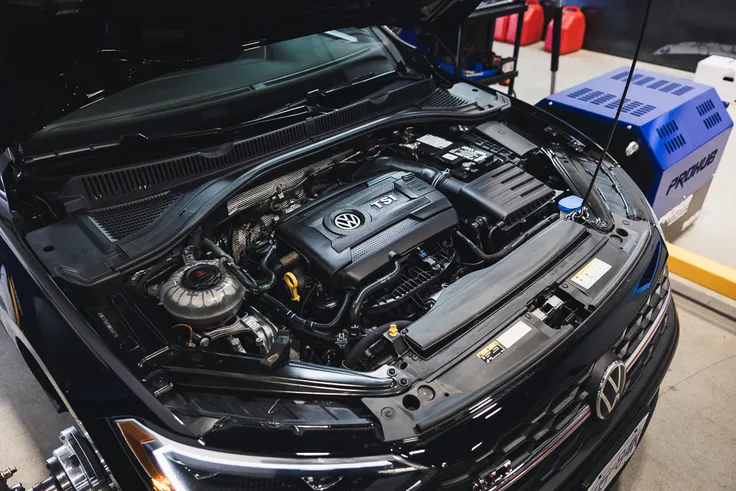
Good scheduling matches what you can really do to the work you have, filling work bays without confusion while keeping technicians busy. The ten tips below help independent shops keep every single promise they make to customers.
"Shops that align scheduling capacity with real workload demand consistently outperform competitors on customer retention and bay utilization." — Industry Best Practice Insight
Tip: Effective scheduling is not just about filling time slots — it's about matching the right technician to the right job, at the right time.
Effective shop scheduling depends on balancing physical capacity, technician availability, customer expectations, and the complexity of each repair:
Bay availability – Directly affects workflow throughput. Managing bay capacity helps prevent bottlenecks and unnecessary idle time.
Technician capacity – Impacts labour efficiency by keeping skilled staff productive and avoiding uneven workloads.
Customer promises – Affects retention and trust. Reliable scheduling helps build a strong, long-term shop reputation.
Job complexity – Supports more accurate time estimates, reducing the risk of costly overruns and missed completion expectations.
Key Point: Independent shops that master scheduling don't just run smoother — they deliver on every customer commitment, turning one-time visitors into loyal, repeat clients.
1. Know Your Shop’s Daily Capacity
Before scheduling appointments, calculate your shop's true daily capacity: count technicians on shift, available bays or lifts, and actual working hours minus breaks and cleanup. Subtract time for meetings and tool maintenance. This baseline prevents overbooking against ideal conditions. Shops with a clear capacity number fill revenue-generating slots instead of creating daily overloads that trigger overtime and delayed deliveries.
2. Schedule Jobs Based on Technician Availability
Give each job to a technician who is both available and qualified for the work. Track individual schedules so a transmission specialist isn't buried under oil changes while a junior tech sits idle. Match certifications and experience levels to job complexity: diagnostics and electrical work to master-level technicians, routine maintenance to those ready for volume. This eliminates bottlenecks where one skilled tech becomes a single point of failure and keeps every team member producing at a steady pace.
3. Avoid Overbooking Your Technicians and Bays
A full schedule uses almost all available hours; an overloaded schedule books beyond those hours and hopes something cancels. The difference emerges when a job takes longer or a part arrives late. Stick to the capacity number you calculated in tip one and refuse to add more work than the shop can finish. When the calendar has breathing room, technicians finish on time, customers receive vehicles when promised, and the next day's schedule starts clean instead of carrying yesterday's backlog.
4. Leave Room for Unexpected Repairs and Delays
Diagnostics expand, parts arrive late, and a simple brake job can reveal seized calipers. Build controlled open time into every day—typically 15 to 20 percent of available hours—for these realities. Place the buffer in mid-morning or early afternoon so it absorbs overruns without pushing evening pickups. Shops that protect this flexibility absorb surprises without reshuffling the entire schedule or forcing technicians into unpaid overtime.
5. Prioritize Jobs by Urgency and Workflow
Rank work by promised delivery time, parts readiness, and customer needs: emergency or same-day jobs first, then multi-day major repairs, then flexible maintenance. Sequence the day so quick-turn services clear early and free bays for longer jobs. This prevents diagnostics from blocking the afternoon and keeps high-priority customers satisfied.
6. Track Every Job From Appointment to Completion
Scheduling ends only when the vehicle leaves the shop. Connect every appointment to live job status so the team sees what's scheduled, in progress, waiting on parts or approval, or finished. Update status as the vehicle moves through intake, diagnosis, repair, and quality check. This continuous view prevents jobs from disappearing after drop-off, lets advisors answer customer questions accurately, and shows managers exactly where capacity sits. When status stays current, the next open slot fills the moment a bay clears instead of waiting for someone to notice an empty lift.
7. Use Online Booking to Reduce Scheduling Back-and-Forth
Offer online booking through your website or booking link so customers can request appointments 24/7. Capture service needs, preferred times, and vehicle details without phone calls. Staff review and confirm against real availability. This eliminates phone tag, frees service-adviser time, and lets the calendar fill after hours. Customers gain convenience while your front desk stops repeating availability questions.
8. Send Appointment Reminders to Reduce No-Shows
Send appointment reminders the day before with the date, time, and drop-off instructions. Automated or manual reminders keep visits top of mind and allow customers to reschedule if needed. Consistent reminders protect booked hours and reduce empty slots that waste technician time and bay capacity.
9. Keep Customers Updated When Schedules Change
When a job takes longer than expected, or a part arrives late, inform the customer before they ask. Share the new completion time and reason in simple language. Proactive updates transform potential complaints into trust-building moments, give customers time to adjust plans, and reduce "is my car ready" calls. Customers who receive timely information remain loyal even when schedules change.
10. Use scheduling software to centralize your workflow
Stop using paper calendars and scattered spreadsheets. Instead, consolidate your appointments, job tracking, technician assignments, and customer details in one system.
How does Auto Repair Shop Scheduling bring your workflow into one place?
Support Lane brings these pieces together with a calendar view of appointments, online booking that automatically calculates availability, and a Kanban-style job board with customizable stages. Staff can see which jobs are in each pipeline stage, open full details from any card, add notes, and track progress from request through completion.
Customer records, vehicles, and service templates stay linked so advisors pull accurate history without switching tools. Reminders go out 24 hours before appointments, and the platform handles estimates, invoices, and communication.
Centralizing the workflow removes double-entry, keeps every team member on the same live schedule, and turns daily coordination into a single, reliable process.
How to Choose the Right Scheduling Software for Your Auto Repair Shop
Scheduling software changes how appointments, bays, and technician hours turn into completed work and paid invoices. The right platform fits your shop's operations while removing friction from outdated paper calendars and disconnected tools.
"The right scheduling platform doesn't just organize appointments — it transforms technician hours and bay capacity into a streamlined engine for completed work and paid invoices."
Key Point: Choosing the right scheduling software is not just about convenience — it directly impacts your shop's revenue, technician efficiency, and customer satisfaction.
Warning: Sticking with paper calendars or disconnected tools creates invisible bottlenecks that cost your shop time and money every single day.
When evaluating shop management software, focus on whether it improves scheduling, connects completed work to payment, and is simple enough to replace legacy processes:
Bay & technician scheduling – Look for tools that maximize billable hours while reducing technician idle time.
Appointment management – Prioritize scheduling features that eliminate double-bookings and scheduling gaps.
Invoice integration – Choose a system that connects completed work directly to paid invoices, reducing manual steps between service and payment.
Ease of use – The platform should be intuitive enough to reduce friction when replacing legacy paper-based workflows.
Start by Mapping Your Current Workflow and Pain Points
List the exact steps a vehicle follows from the first customer call through pickup. Note where time disappears: phone tag for bookings, double-booked bays, missing status updates, or reshuffles when jobs run long. Count your technicians, bays, average daily appointments, and the mix of quick services versus complex repairs. This map becomes the filter for every software demo. Software that looks impressive on a feature list yet forces you to change core steps that already work will create more resistance than relief.
Prioritize Features That Reflect Real Shop Capacity
Look for a live calendar showing technician availability and open bays. This helps advisors confirm space before promising customers a time slot. Online booking should automatically display available times based on scheduled appointments, allow customers to request preferred slots, and enable staff to approve, decline, or adjust bookings. Automatic reminders the day before reduce no-shows. The system must accommodate varying job lengths and skill requirements, so diagnostic work doesn't occupy the same fixed time slots as oil changes. These features keep schedules realistic, not overly optimistic.
Connect Appointments Directly to Job Status and Resources
Scheduling shouldn't stop when the vehicle arrives. Better platforms connect every appointment to a job record that moves through clear stages: requested, in progress, waiting on parts, complete. Drag-and-drop status boards, color-coded pipelines, and the ability to open full job details from the calendar keep work visible after intake. Technician assignment should respect current workload and skills. Real-time status updates show the next open slot when a bay clears, letting advisors answer customer questions with accurate information.
Evaluate Ease of Use and Team Adoption
Service advisors and technicians will stop using software that feels slower than the paper system it replaces. Test how many clicks it takes to create an appointment, assign a technician, add notes, or move a job to the next stage. Look for clean calendar and board views that work on both desktop and mobile so the floor and counter stay aligned. Involve at least one advisor and one technician in demos. If the team cannot complete everyday tasks quickly during a trial, training will not overcome the daily friction.
Check Integrations and the Flow of Information
The schedule must integrate with customer records, vehicle history, estimates, invoices, and parts without requiring data re-entry. Good shop management software pulls vehicle information from a VIN, saves service templates for common jobs, and converts approved work into invoices with labor, parts, and fees pre-populated. Customer notes and previous declined services should display automatically so advisors can personalize conversations. Connected data eliminates errors and wasted time from switching between separate tools.
Consider Scalability, Total Cost, and Support
Pick a platform that scales as you add technicians, bays, or locations without requiring a restart. Ask for the total monthly cost covering every feature your shop needs—texting, online booking, payments, additional users—not just the base price. Understand how data migrates to the new system, how long training takes, and whether support is available during peak hours. Review feedback from shops similar to yours. A free trial or demo showing a real repair order from customer booking through invoice generation reveals more than any sales pitch.
How does Auto Repair Shop Scheduling software fit your daily workflow?
The winning software removes friction from your shop's daily processes while giving customers an easier way to book and stay informed. Test it against your workflow, involve the people who will use it, and choose the system that keeps bays productive and reliable.
How Support Lane Simplifies Auto Repair Shop Scheduling
Support Lane makes it significantly easier for auto repair shops to schedule appointments by connecting every part of the customer experience—from booking to invoice—in one unified workflow. The appointment a customer books online becomes the same job record that moves through the Kanban board, collects technician notes, and generates the invoice when work is done.
"The appointment a customer books online becomes the same job record that moves through the entire workflow—from scheduling to invoicing—without a single manual handoff." — Support Lane
Tip: One connected workflow means your team spends less time on manual data entry and more time on actual repairs—eliminating the costly gaps between booking, service, and billing.
Takeaway: Support Lane doesn't just manage scheduling—it creates a single source of truth that follows every job from the moment a customer books to the final invoice, keeping your entire shop aligned and efficient.
Support Lane connects the key stages of a repair workflow so information moves automatically from booking through billing:
Online booking – Customers can schedule appointments instantly, creating the starting point for the job.
Kanban board – The job record moves through service stages, giving the team real-time visibility into progress.
Technician notes – Updates are captured directly on the job record, keeping important repair information connected to the vehicle.
Invoice generation – Billing is triggered automatically when the work is complete, reducing manual administrative steps.
Why does fragmentation break auto repair shop scheduling?
Fragmentation is the failure point in most independent shops. When appointment requests come by phone, job status lives on a whiteboard, customer history sits in a folder, and invoices are built from scratch in a spreadsheet, every handoff creates a gap where information gets lost or delayed. According to the Cox Automotive Retail Dealership Fixed Ops Ownership Study, only 30% of dealership service customers say scheduling an appointment was easy. When the booking process forces customers to call multiple times to confirm a slot, the shop has already lost ground before the car arrives.
How does a connected workflow keep auto repair shop scheduling on track?
Shop management software like Support Lane consolidates appointment requests, live job status, customer history, and 24-hour reminders in a single record. Changes sync automatically across the system without separate phone calls or manual updates.
What does connected scheduling actually protect?
The answer is retention, and the stakes are higher than most shop owners calculate. 67% of vehicle owners who do not return to a dealership for service cite a negative service experience as the reason. A missed reminder, a status update that never arrived, a customer who had to call twice to find out if their car was ready—these moments end relationships. Scheduling software that sends automatic 24-hour reminders and keeps customer communication attached to the job record eliminates friction before it causes damage.
How does Auto Repair Shop Scheduling keep the afternoon from collapsing?
The Kanban board in Support Lane makes one thing immediately clear that a whiteboard never could: where every job stands right now, without walking around the building. When a diagnostic expands into a repair, the card moves and the next available slot becomes visible. The advisor doesn't have to guess or interrupt a technician. Real-time visibility keeps the afternoon schedule from falling apart when the morning runs long, because the team reacts to what's happening.
How do service templates move a job from booking to paid invoice?
Service templates close the loop on the other end. A brake job that starts as an online booking request, with the service pulled from a pre-built template, flows through the board and generates a ready-to-send invoice automatically when complete. No retyping. No separate estimate step. The time between a completed repair and a paid invoice shortens because the workflow moves in one direction from the start.
The shop that figures this out first builds something harder to replicate than any single tool.
Sign up for Your Free Trial to Manage Your Auto Shop with Ease Today
A workflow that moves smoothly from booking through invoice without retyping or chasing information separates shops that grow from those that stay busy. If your team pieces together schedules from one tool, job status from another, and customer history from a third, the friction is structural — and it's costing you time every single day. Support Lane brings appointment scheduling, online booking, job pipeline tracking, customer records, and invoicing into one connected platform built specifically for independent auto repair shops.
"A disconnected toolstack doesn't just slow your team down — it creates structural friction that compounds across every job, every customer, and every invoice." — Support Lane
A unified shop platform removes the friction created by managing different parts of the business across separate tools:
Separate scheduling tool vs. built-in scheduling – Keeps appointment scheduling inside the same platform instead of forcing staff to switch systems.
Manual job tracking vs. live pipeline – Provides live job pipeline tracking, giving the team an up-to-date view of every repair.
Scattered customer history vs. centralized records – Stores customer information in centralized records, making history easier to access.
Separate invoicing app vs. integrated invoicing – Connects invoicing directly to the workflow, eliminating duplicate data entry and retyping.
Chasing information vs. one platform – Brings everything together in one connected platform, reducing communication gaps and unnecessary tool switching.
Tip: If your team is toggling between 3 or more tools to complete a single job, you're not just losing minutes — you're losing momentum and billable efficiency across your entire shop.
Warning: Piecing together disconnected systems isn't a temporary fix — it's a structural problem that grows harder to unwind as your shop scales.
Try Support Lane free and see how a unified workflow changes what your team can accomplish in a single day. Replace scattered tools and manual workarounds with a purpose-built platform designed for independent auto repair shops, so your team can focus on fixing cars, not chasing paperwork.
Best Practice: Start your free trial with a real week of jobs and measure how much time your team saves by having scheduling, job tracking, and invoicing in one place.
Key Point: A unified shop management platform is the operational foundation that allows independent auto repair shops to grow without adding chaos.
Related Reading
Auto Repair Shop Bookkeeping Software
Best Accounting Software For Auto Repair Shops
Auto Repair Shop Crm Software
Best Auto Repair Shop Websites
Auto Repair Shop Billing Software
How To Value An Auto Repair Business
How To Use Video In Your Auto Repair Shop Marketing
Auto Repair Shop Texting Software
Ready to modernize your shop?
Join the independent auto repair shops already using Support Lane to manage their jobs, customers, and invoices in one place.